If you have web conferencing turned on, have set-up your conferencing tool, and have created a web conference, you may add it to the course content area.
Note: Only TOPYX Expanded sites support integrated web conferencing.
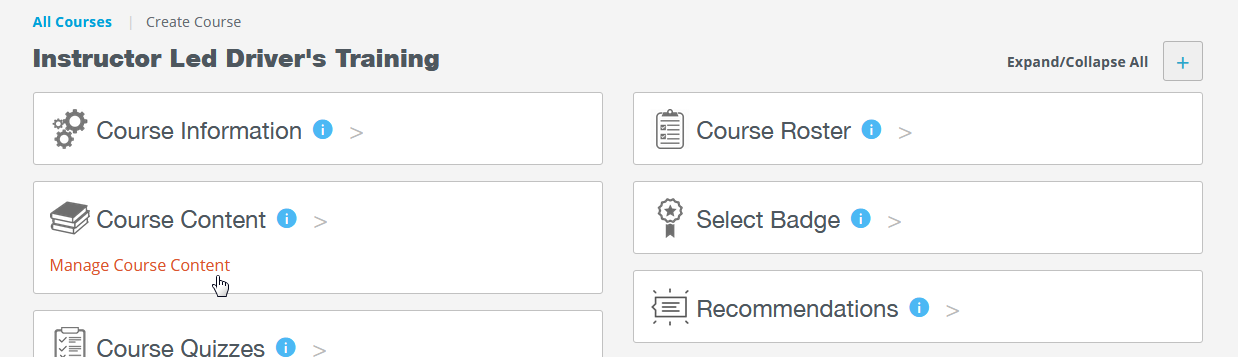
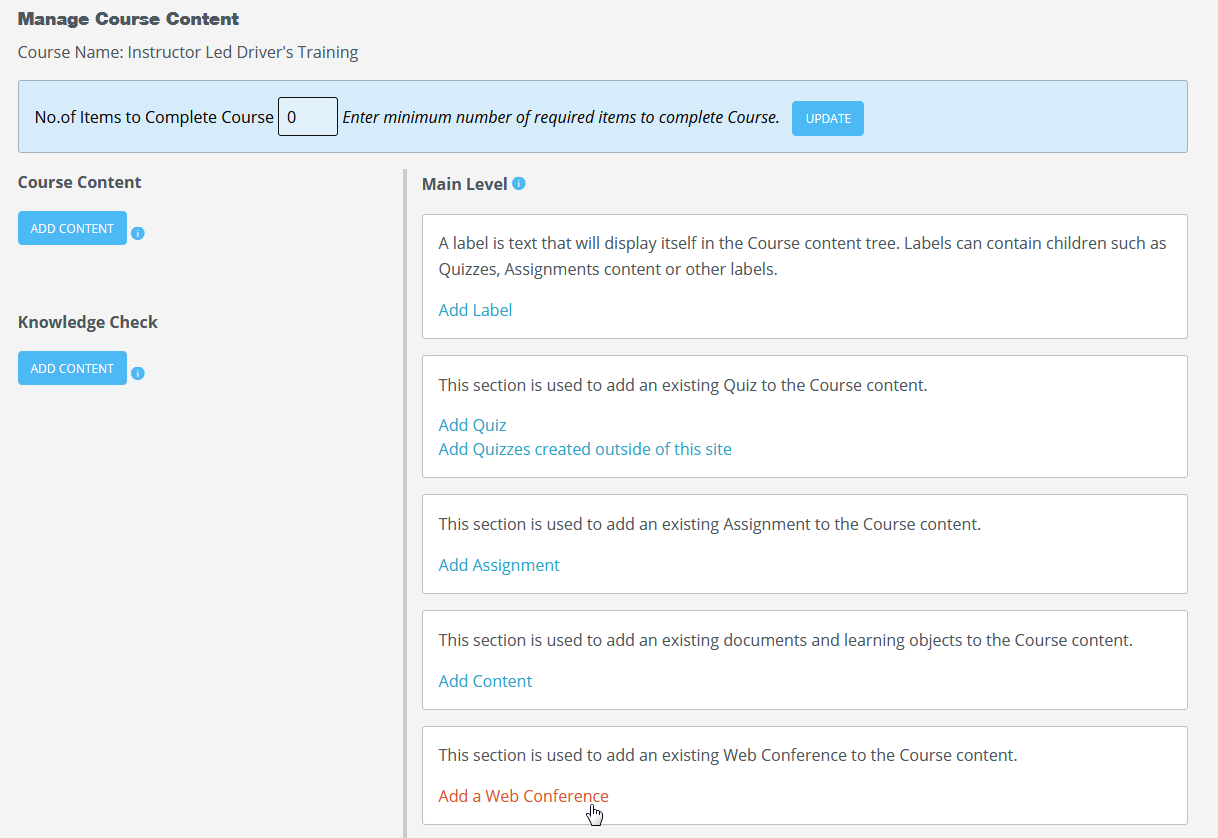
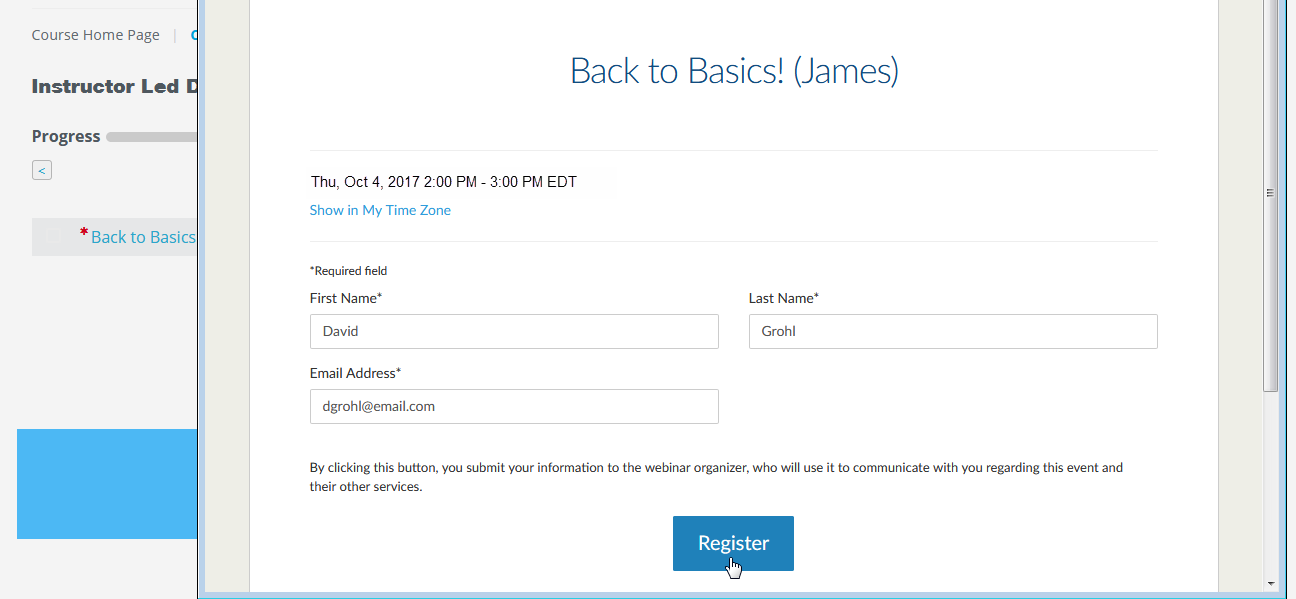
Once you have created web conferences, you will see them in your drop-down list. You can select the conference you would like to add to the course, then click Save at the bottom of the page.
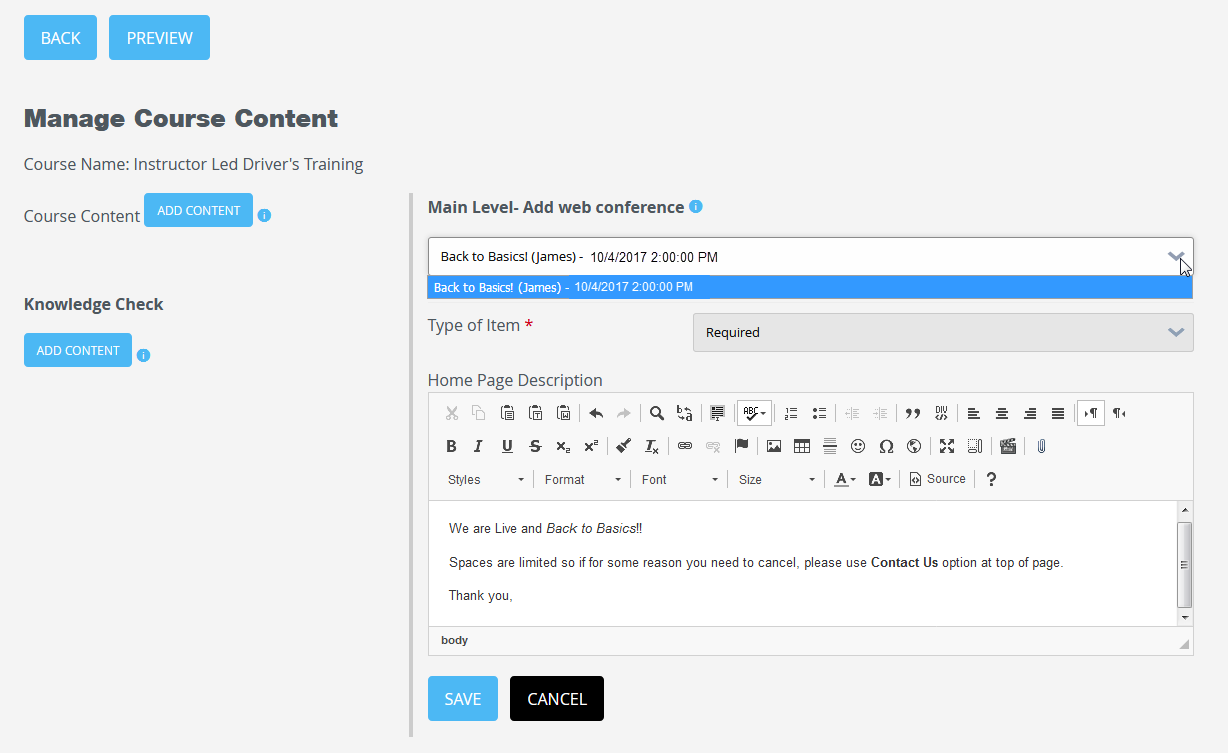
How users register for your webinar
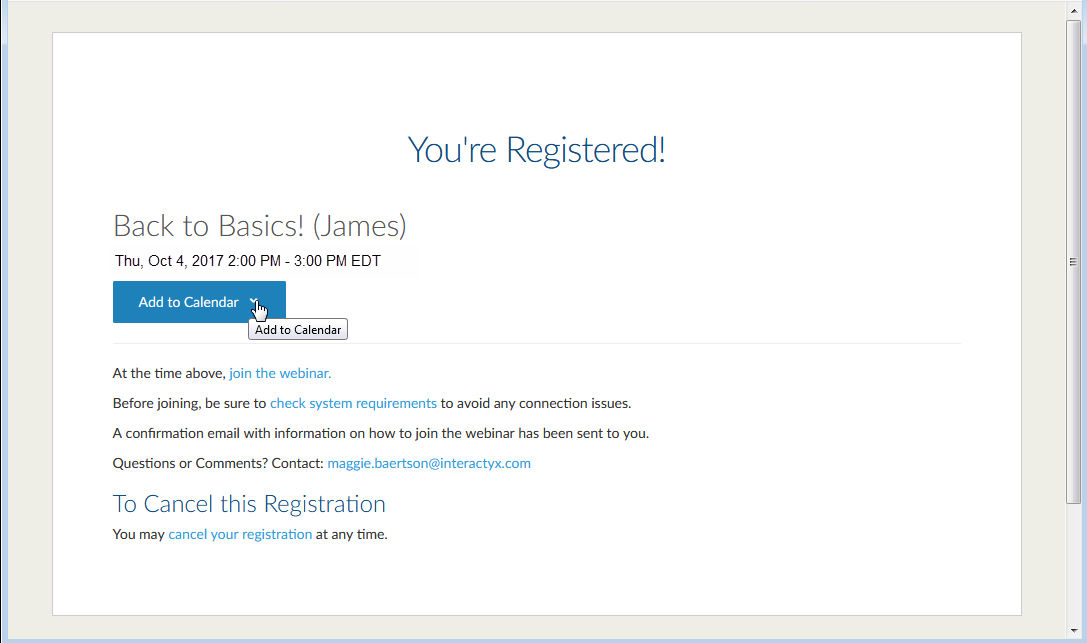
Now that the webinar has been added to a course as content, you can publish your course to the catalog so users can register. Once registered with the course, users must visit the course material page and select the webinar link. A pop out window will appear allowing user to fill in their registration details.
Note: When users register for a webinar, their email address must be the same as they use in your site.
Was this article helpful?
That’s Great!
Thank you for your feedback
Sorry! We couldn't be helpful
Thank you for your feedback
Feedback sent
We appreciate your effort and will try to fix the article