Courses can have a passing grade, or a minimum grade, required to pass the course. Please note that this may result in learners completing all the materials inside of a course. However, if they did not score high enough to meet the passing grade, they will not complete the course.
To add a passing grade to a course, go to Manage Course Grade under the Course Grade section:
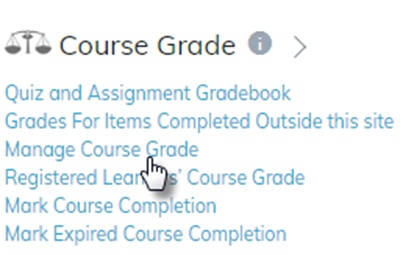
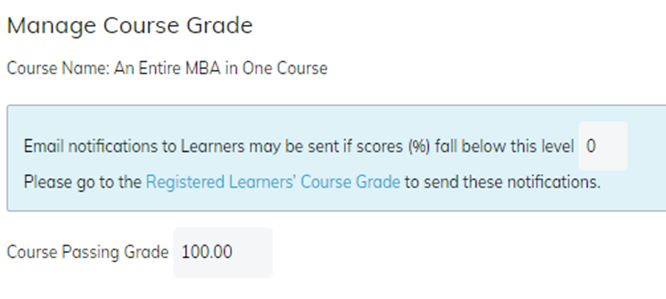
The Passing Grade can be added here.
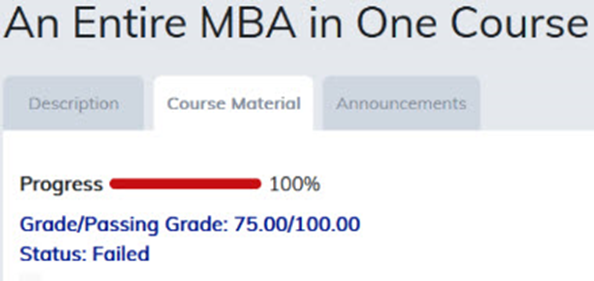
The learner’s score and passing grade will be displayed on the course material page.

If a learner completes the course but does not achieve the passing grade, the progress bar will change to red and the status will show as failed. The learner must attempt to score higher in the materials to reach the passing grade before the course will mark as complete.
Was this article helpful?
That’s Great!
Thank you for your feedback
Sorry! We couldn't be helpful
Thank you for your feedback
Feedback sent
We appreciate your effort and will try to fix the article