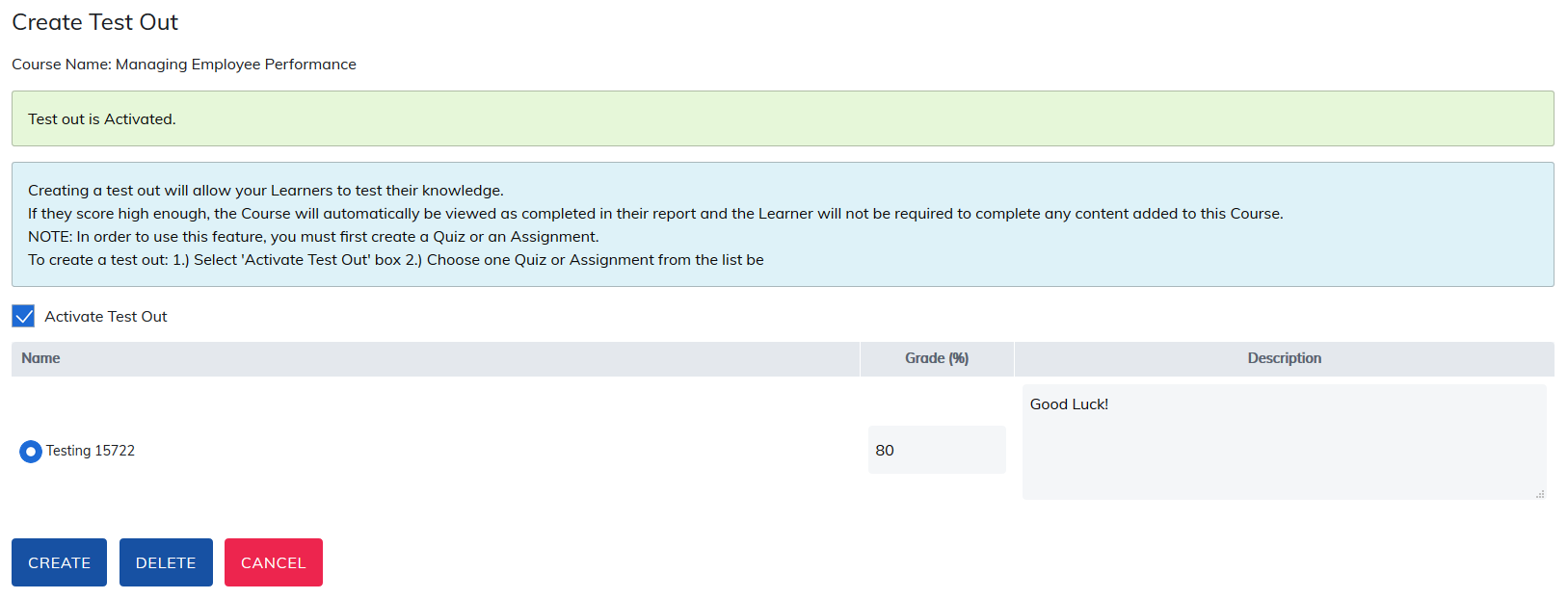
Creating a Test Out will allow your learners to test their knowledge. If they score high enough, the course will automatically be viewed as completed in their report and will not need to complete all the course material a course contains. To create a Test Out quiz, please select Test Out.

On the next page, check the box to Activate Test Out. Then select one quiz from the list on the page and click the Create button. This quiz will now be the Test Out for this course.
Add a grade percent that learners would need to achieve to pass, and any description you would like them to see. When finished entering information, click the Create button.
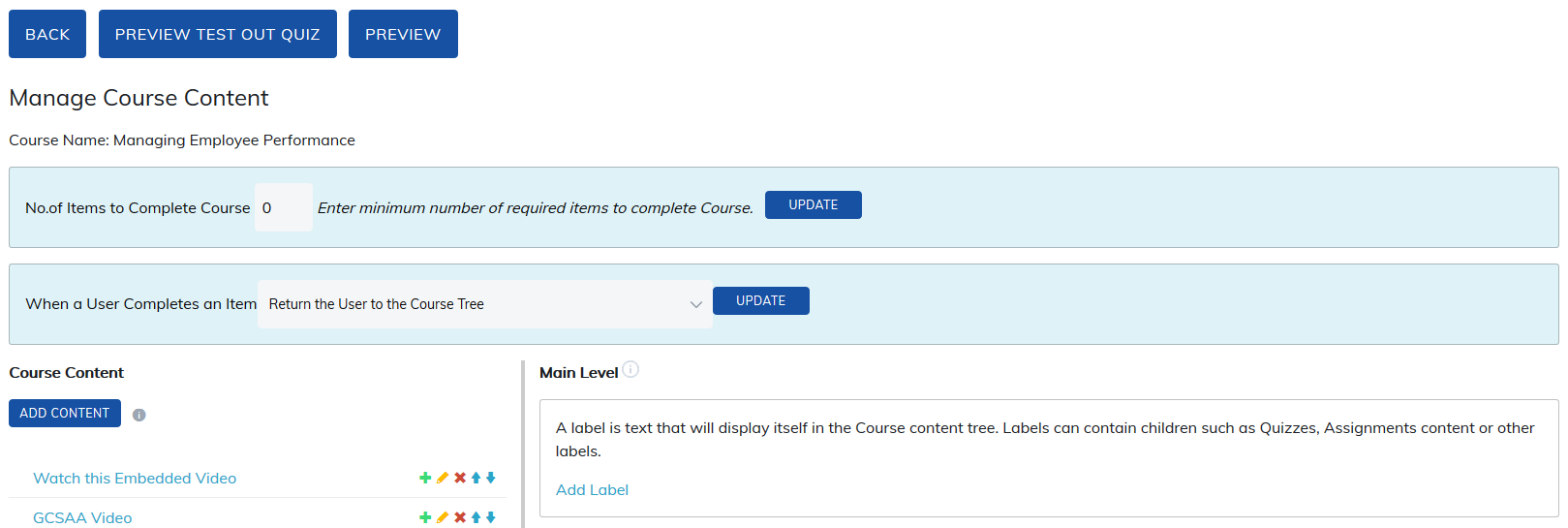
A link will now be available on the top of the Manage Course Content page for previewing the Test Out.
Was this article helpful?
That’s Great!
Thank you for your feedback
Sorry! We couldn't be helpful
Thank you for your feedback
Feedback sent
We appreciate your effort and will try to fix the article