Knowledge checks are part of the manage course content area.
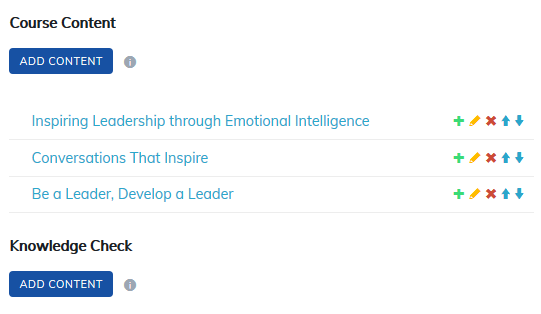
Knowledge checks allows instructors to release content to learners on a timed basis after a course’s completion, allowing learners to continue to test and confirm knowledge. Instructors can track the knowledge retained by their learners.
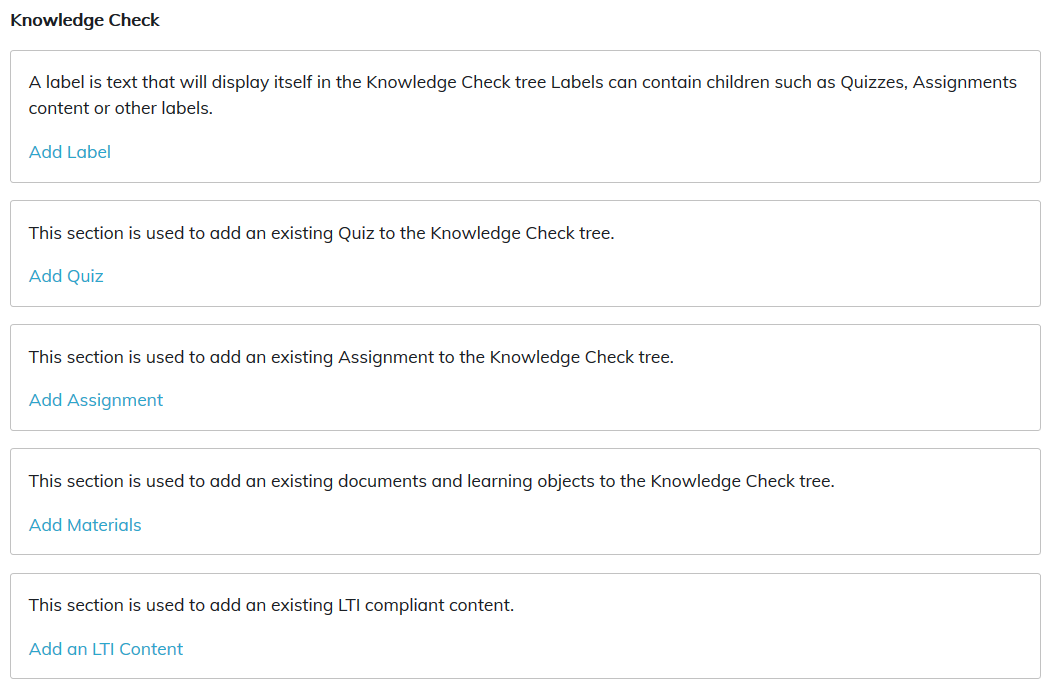
There are five types of content that can be added to Knowledge Checks:
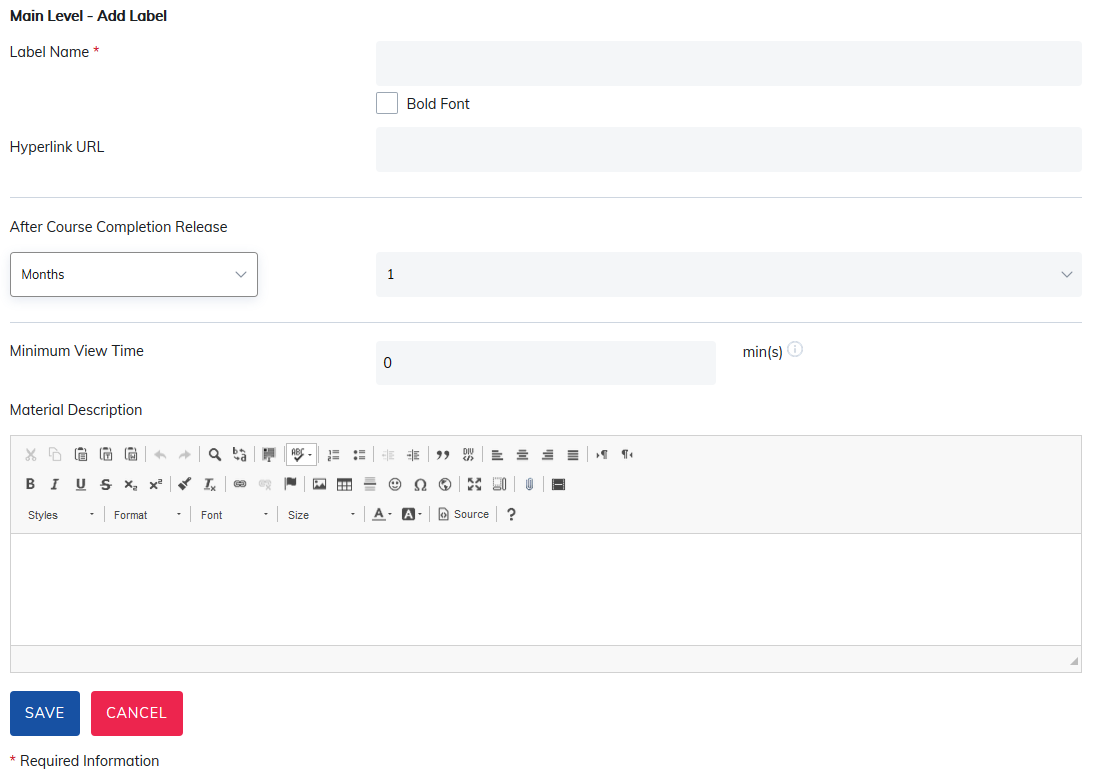
- Add Label
- Add Quiz
- Add Assignment
- Add Materials
- Add an LTI Content
To add to a course, select the type of content to be added as a Knowledge Check under the Knowledge Check header.
Once the item is selected, choose when to release this item after a learner has completed the course. Learners can see the Knowledge Checks but they will not be available until their release date.
Upon completing the course, the learner will be provided dates the Knowledge Checks will be available and email reminders are sent. To use, turn on the Knowledge Check Ready Notification email in Email Settings.
Note: Content added to the Knowledge Check is not required to be taken by learners and will not change their completion date.
Also, consider course expirations when using Knowledge Checks. Learners may complete courses close to the expiration date and Knowledge Check content may not be released to them.
Was this article helpful?
That’s Great!
Thank you for your feedback
Sorry! We couldn't be helpful
Thank you for your feedback
Feedback sent
We appreciate your effort and will try to fix the article