There are two options in the quiz area:
- Add a Quiz: This applies to quizzes created in TOPYX
- Add a Quiz created outside of this site

To add a TOPYX quiz to course contents, first click on Add Quiz.
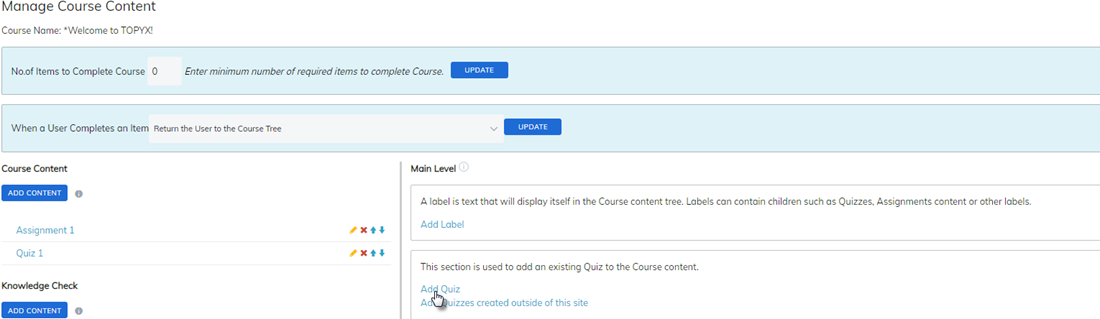
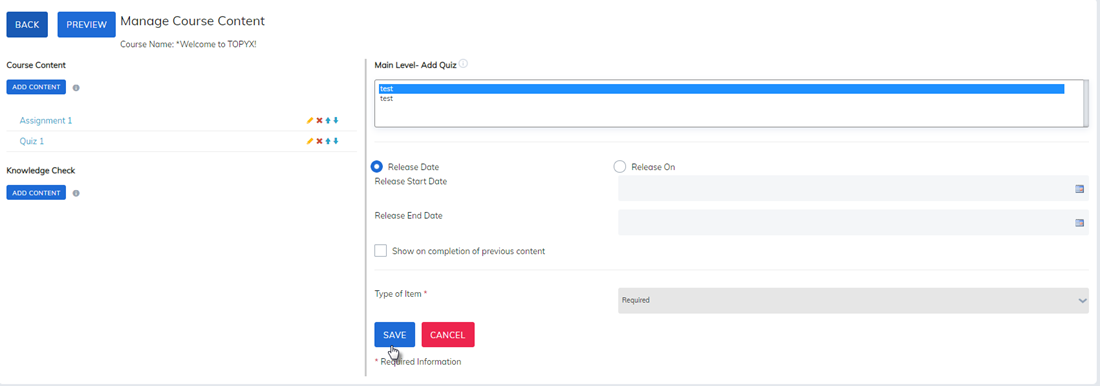
Quizzes you have created will display on the next page. Highlight the quiz you would like to add, fill in other items on the page as needed, then click Save.
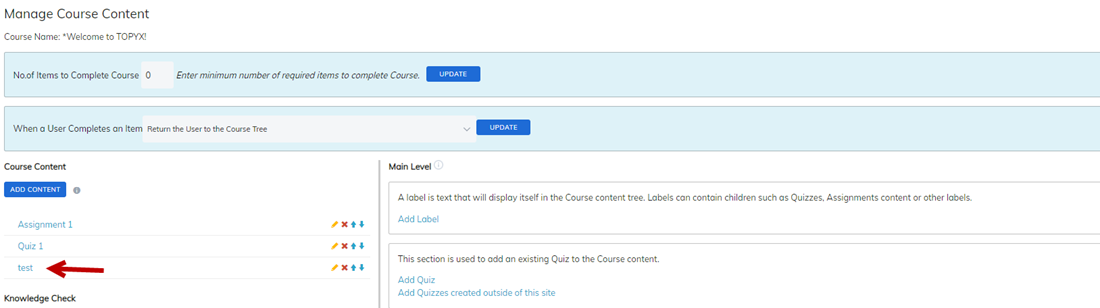
The quiz will now display in your course contents section.
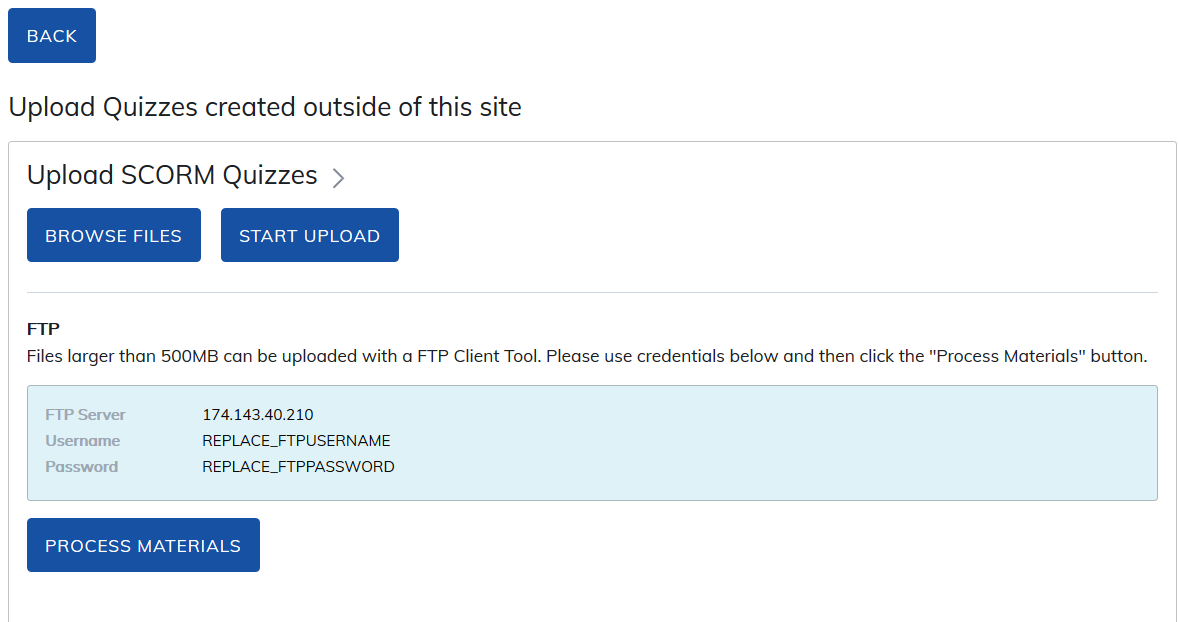
Add Quizzes created outside of this site -
Please speak with us first before you explore this option. This option is for SCORM or xAPI quizzes you would like to use in your site and flow into the Gradebook report.
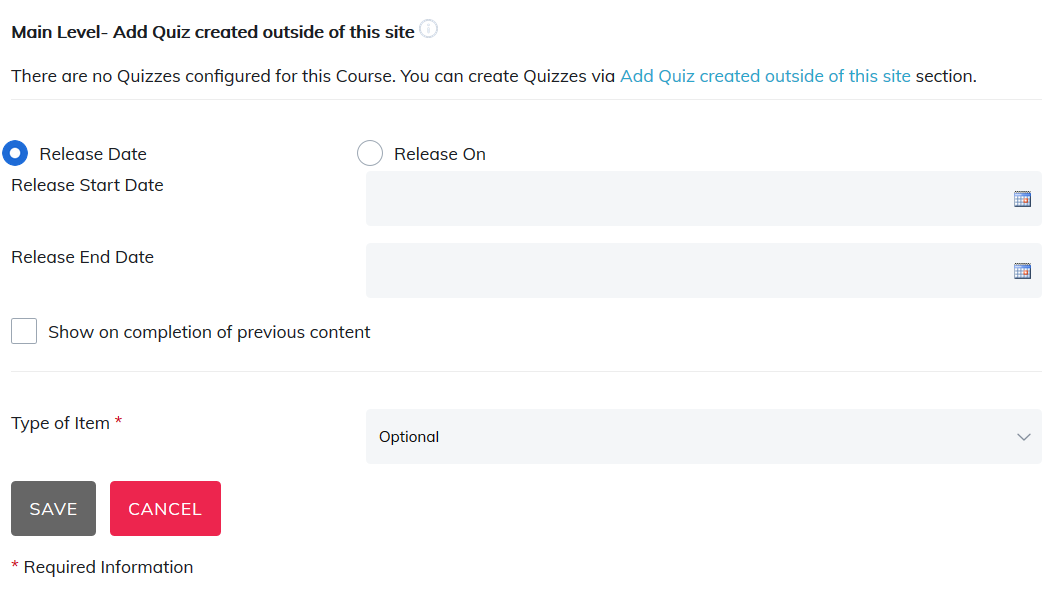
To add SCORM or xAPI quizzes to your course, browse your desktop and upload the files you wish to add for the quiz.
Was this article helpful?
That’s Great!
Thank you for your feedback
Sorry! We couldn't be helpful
Thank you for your feedback
Feedback sent
We appreciate your effort and will try to fix the article