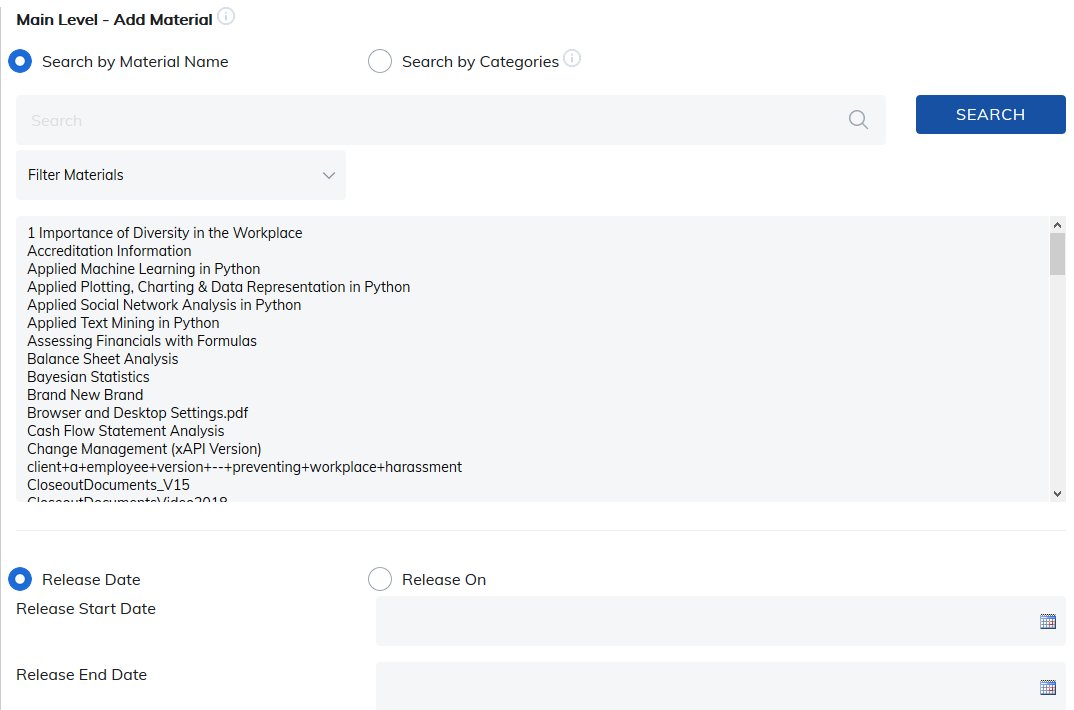
To add materials to course contents, click on Add Material.

Select the material you would like to add, then add your options.
- Release Dates or Timespan: For example, 10 days.
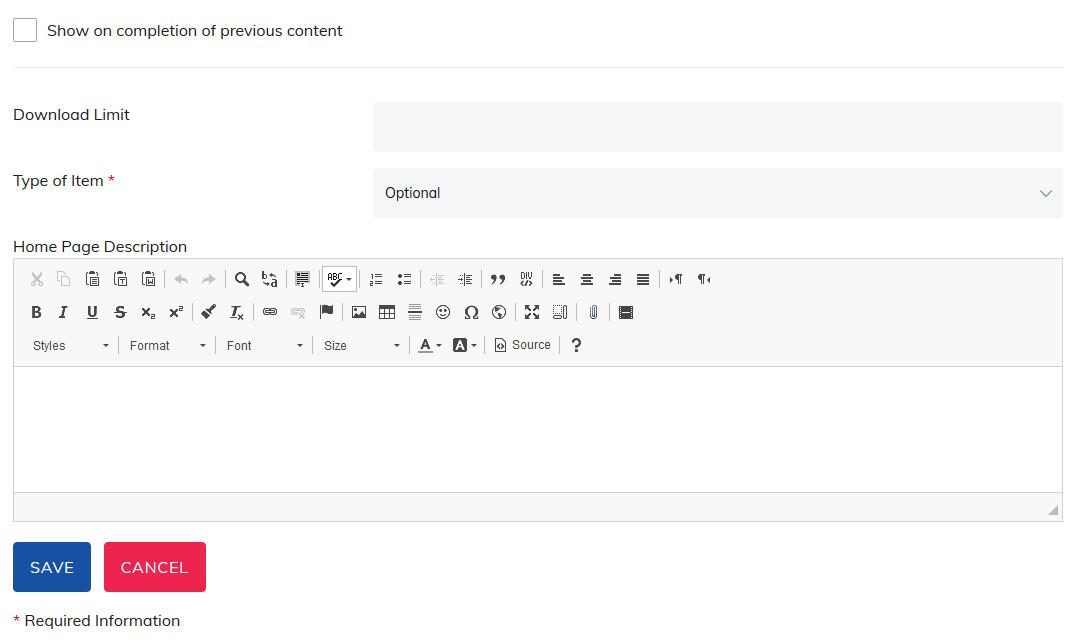
- Show upon completion of previous content: This option forces your learner to complete items in order. Skipping around is not allowed.
- Download limits
- Required or Optional: If you are using the optional content setting, you will have the ability to tag items as you add them to the course.
- Home Page Description
Click Save at the bottom of the page.
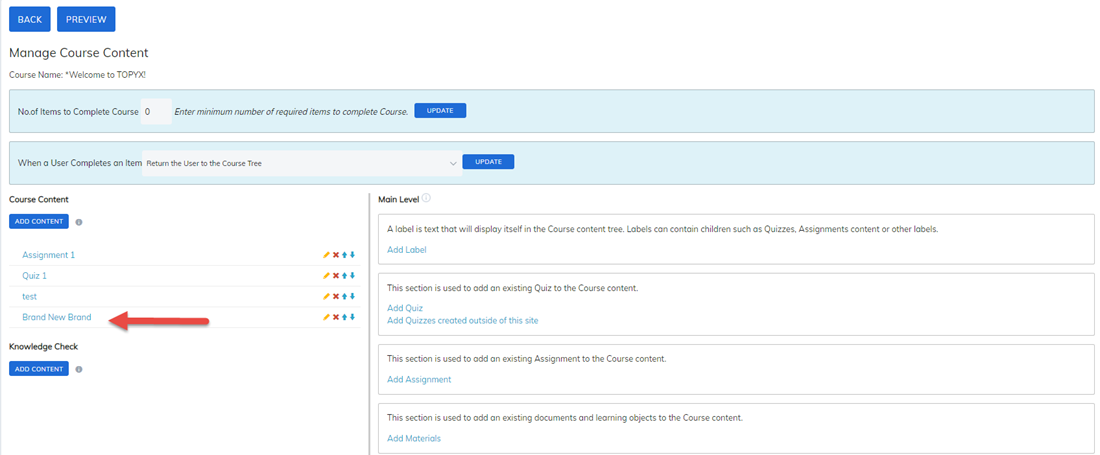
The material will now display in the course content section.
Was this article helpful?
That’s Great!
Thank you for your feedback
Sorry! We couldn't be helpful
Thank you for your feedback
Feedback sent
We appreciate your effort and will try to fix the article