
This section is used on Expanded sites to retrieve web conference attendance from integrated tools, which includes GoTo Webinar, GoTo Meeting, and WebEx Meeting Center.
While Attendance is also available in your GoTo Webinar, GotoMeeting, and WebEx accounts, it can also be viewed in your site. Please note that users must remain in the course roster in order to retrieve their attendance.
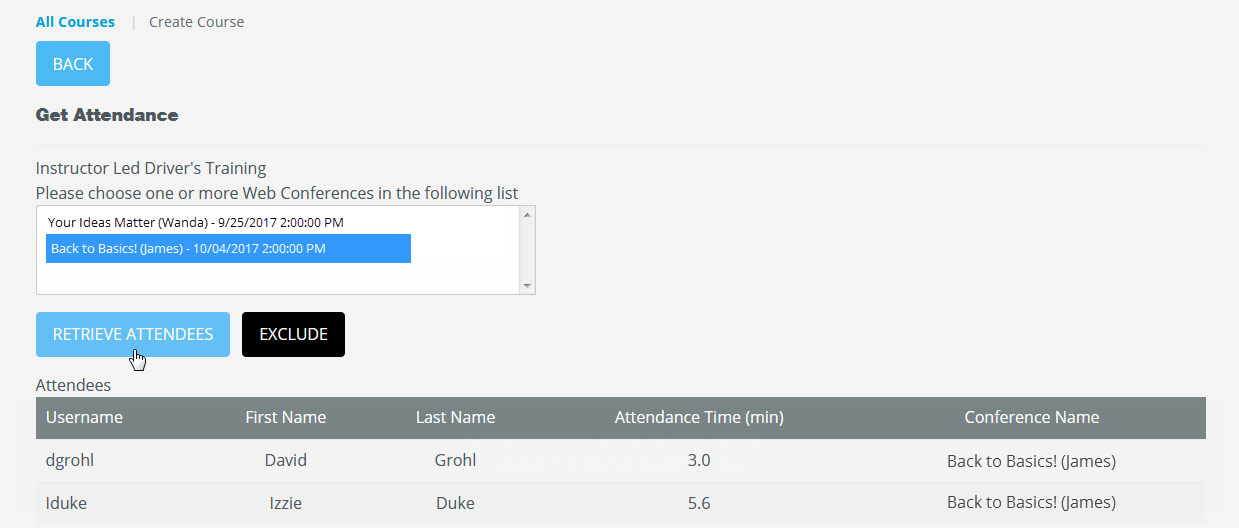
To retrieve attendance, visit the Manage Course Page and under the Web Conference section, select Get Attendance.
Click on the webinar(s) and then select Retrieve Attendees.
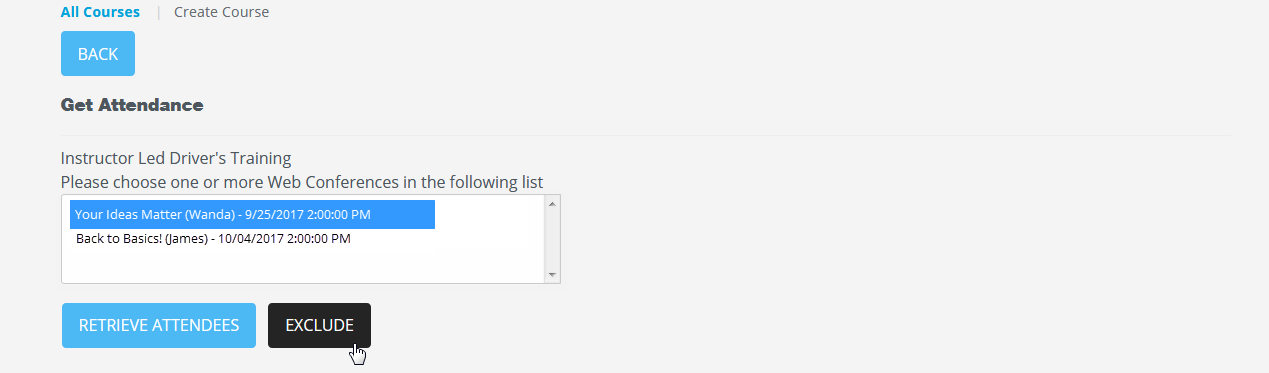
The Exclude option allows admins to remove old or unwanted webinars from list. To do so, select the webinar(s) and then click on the Exclude button.
Was this article helpful?
That’s Great!
Thank you for your feedback
Sorry! We couldn't be helpful
Thank you for your feedback
Feedback sent
We appreciate your effort and will try to fix the article