Add customizable Dashboards to Reports by clicking on the Dashboard tab.
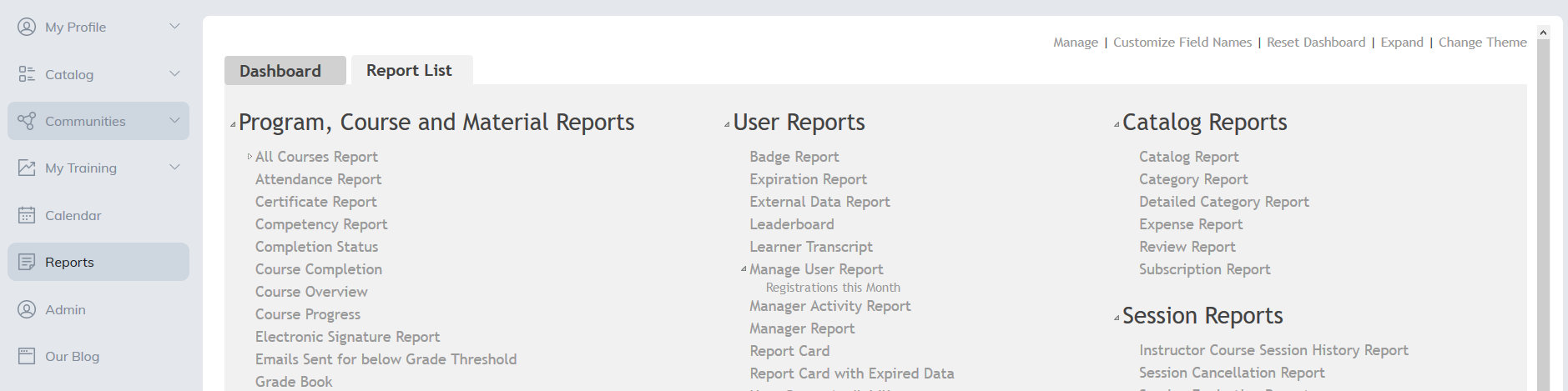
A list of Program, Course and Material Dashboards will be presented. Select the Panels to add to the Dashboard by clicking Add.
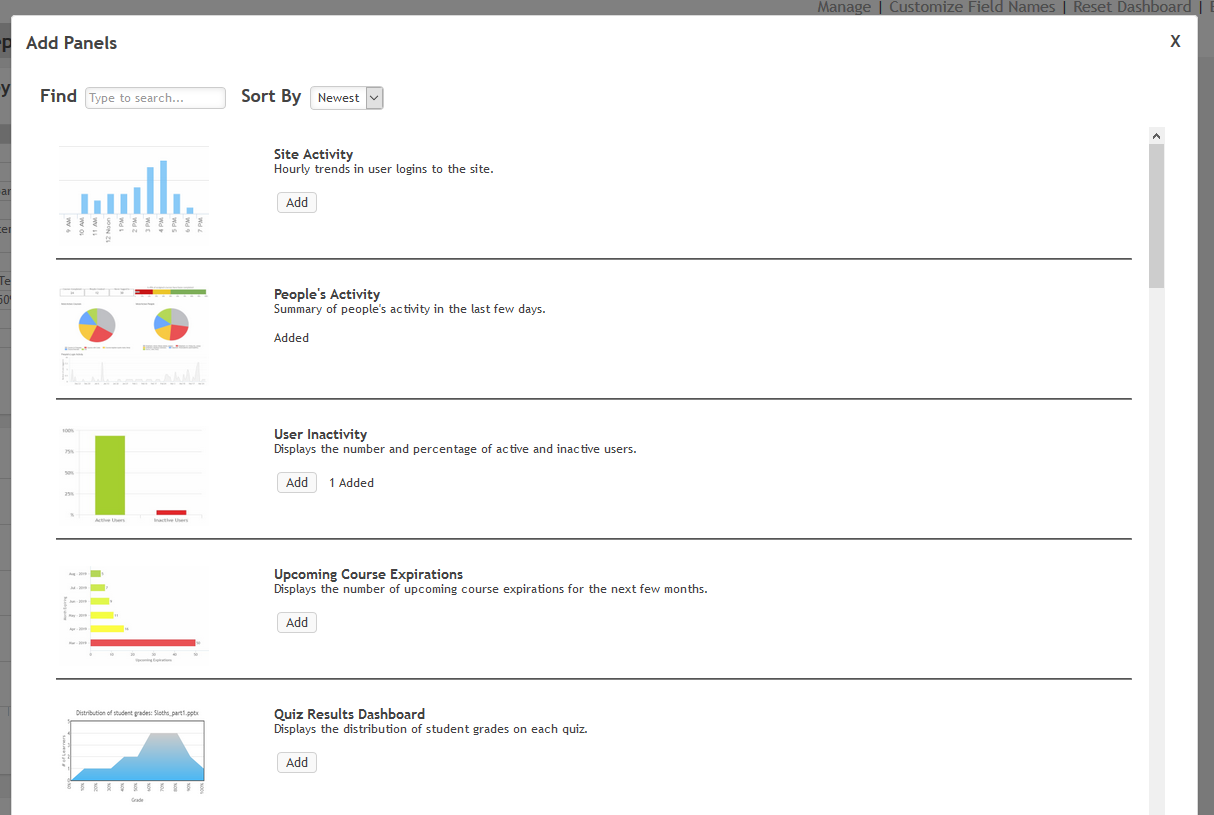
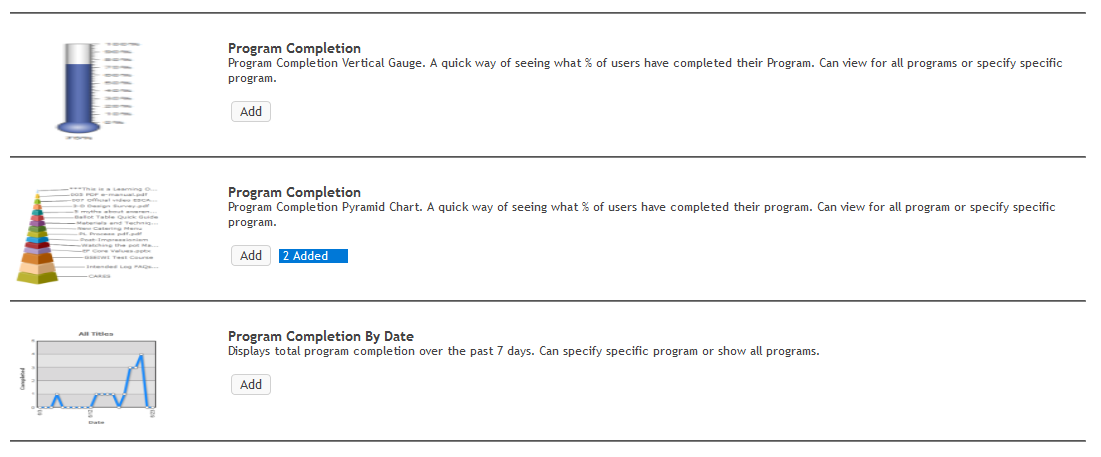
You may add more than one of each panel by selecting Add again, you may choose to do this, for example, if you wish to view the same report for multiple time periods or would like to see the same data presented in different formats.
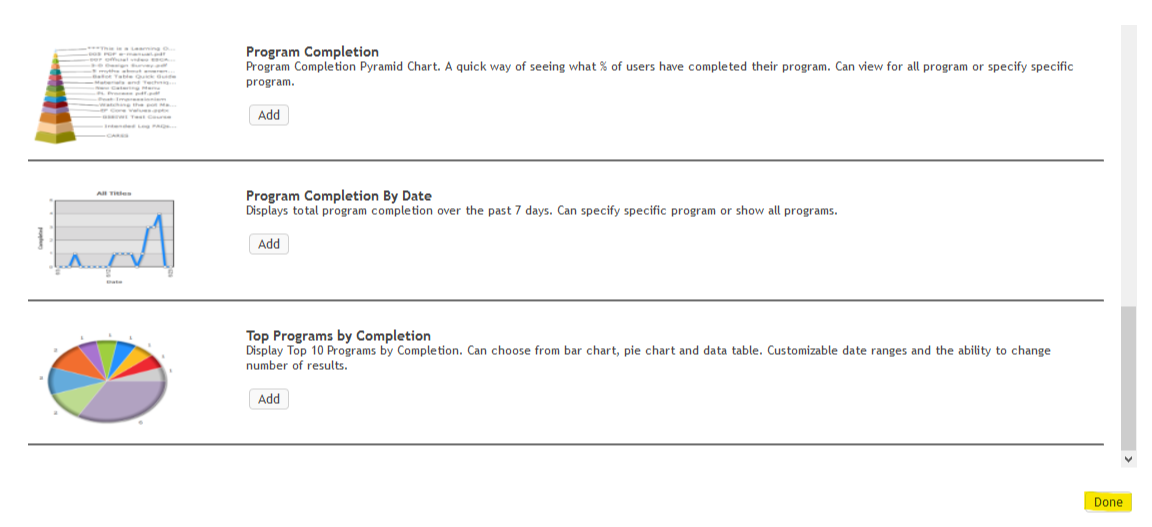
Once you have finished adding panels please select Done to view your new Dashboard.
When you first view your Dashboard, the panels will appear one underneath the other on the left hand side. To move these please place your cursor over the panel you wish to move and drag to its new location.
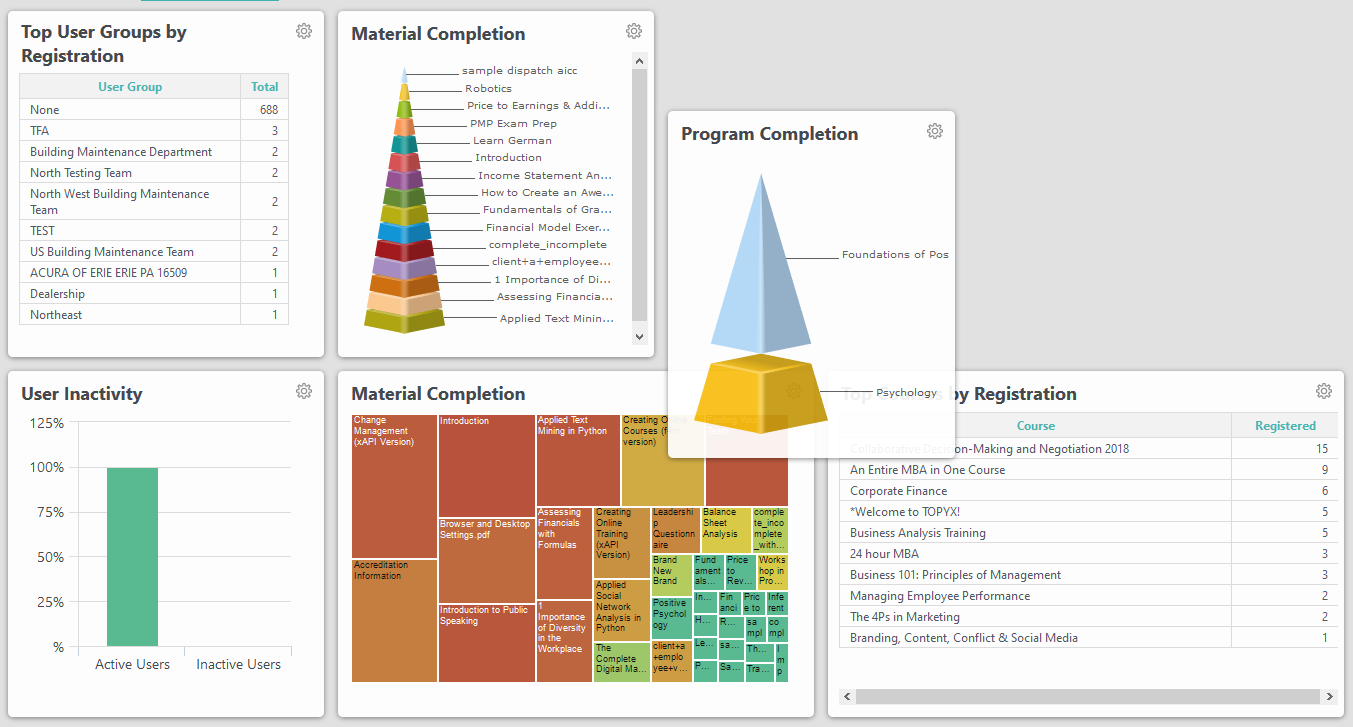
You may add as many panels as you wish to each row and custom size your boxes
Dashboard Panels
| Panel Title | Displays |
|---|---|
| Site Activity | Hourly trends in user logins to the site. |
| People's Activity | Summary of people's activity in the last few days. |
| User Inactivity | The percentage and number of active and inactive users. |
| Upcoming Course Expirations | The number of upcoming course expirations for the next few months. |
| Quiz Results Dashboard | The distribution of student grades on each quiz. |
| Material Results Dashboard | The distribution of student grades on each material. |
| Material Completion Heatmap | The most popular materials. |
| Material Completion Text Cloud | The most popular words used in your material titles. |
| Material Completion Vertical Gauge | How many users have completed materials. |
| Material Completion Horizontal Gauge | How many users have completed materials. |
| Material Completion Pyramid Chart | The hierarchy of your most completed materials. |
| Course Completion Vertical Gauge | How many users have completed Courses. |
| Course Completion Pyramid | The hierarchy of your most completed Courses. |
| Top Courses by Registration | Top 10 Courses by registration. There are customizable date ranges and the ability to change number of results. |
| Top User Groups by Registration | Top 10 user groups by registration. There are customizable date ranges and the ability to change number of results. |
| Material Completion by Date | Total material completion over the past 7 days. You can select specific materials or show all materials. |
| Course Completion by Date | Total course completion over the past 7 days. You can select specific courses or show all courses. |
| Registration by Date | Total registrations over the past 7 days. You can select specific items or show all items. |
| Top Courses Completion | Top 10 courses by completion. There are customizable date ranges and the ability to change number of results. |
| Top Materials by Completion | Top 10 materials by completion. There are customizable date ranges and the ability to change number of results. |
| Upcoming Program Expirations | The number of upcoming program expirations for the next few months. |
| Program Completion Vertical Gauge | How many users have completed programs. |
| Program Completion Pyramid | The hierarchy of your most completed programs. |
| Program Completion by Date | Total program completion over the past 7 days. You can select specific program or show all programs. |
| Top Programs by Completion | Top 10 programs by completion. There are customizable date ranges and the ability to change number of results. |
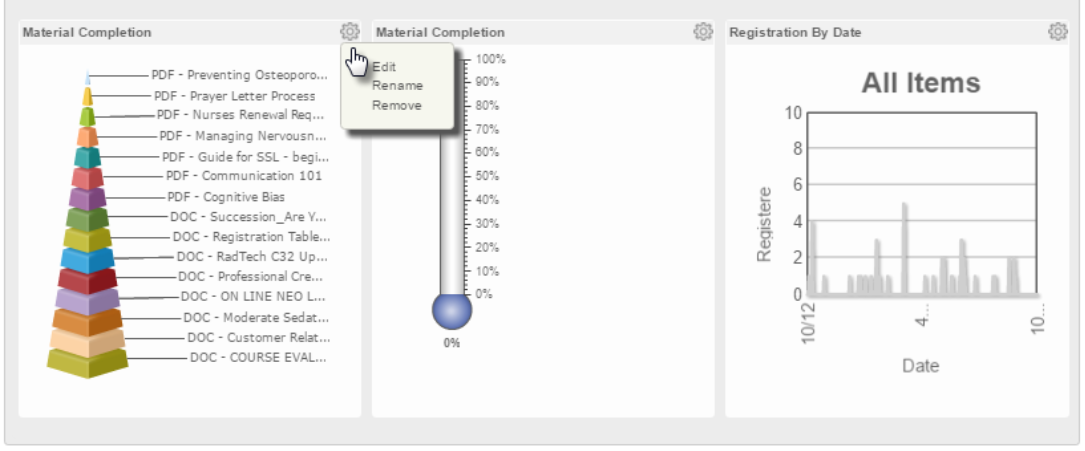
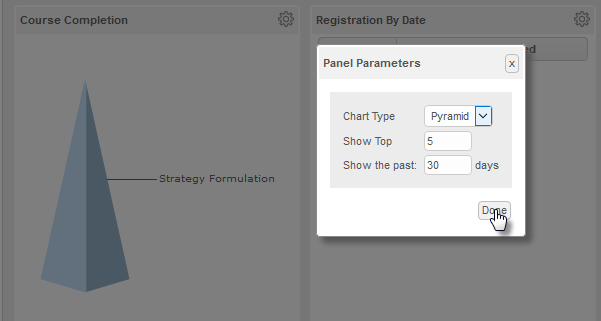
You can edit each dashboard panel by clicking the gear icon and selecting Edit.
Depending on the dashboard, you may be able to update the panel name, remove the panel, adjust the date range, modify the data being displayed, and change the chart type.
Was this article helpful?
That’s Great!
Thank you for your feedback
Sorry! We couldn't be helpful
Thank you for your feedback
Feedback sent
We appreciate your effort and will try to fix the article