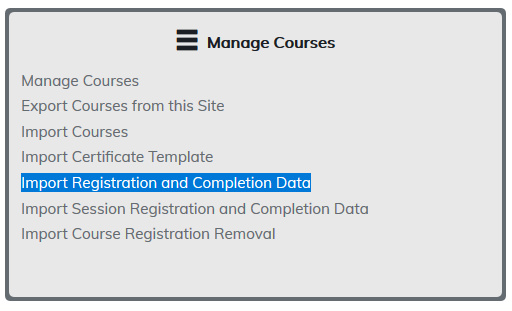
Use this feature to import course registration and completion data for learners. This feature is perfect for registering a large number of users. This helps eliminate those learners having to register for the course through the catalog.
Use both registration and completion options and your learners will see this information in their learner report and transcript. This will also appear in Admin Reporting.
Note: Users do need accounts in your site and courses must be created.
To begin, select Import Course Registration and Completion Data.
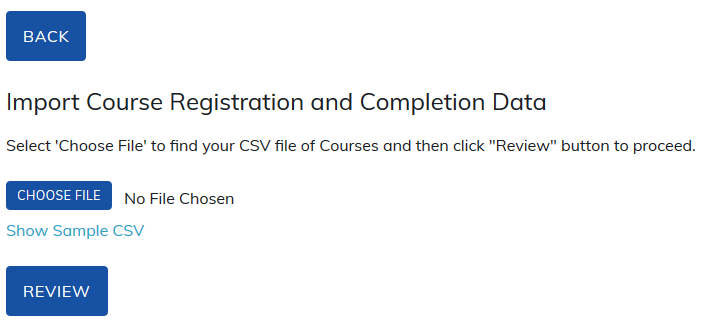
Click on Show Sample CSV, which will display the format that needs to be used. There will also be a link to download the CSV template.
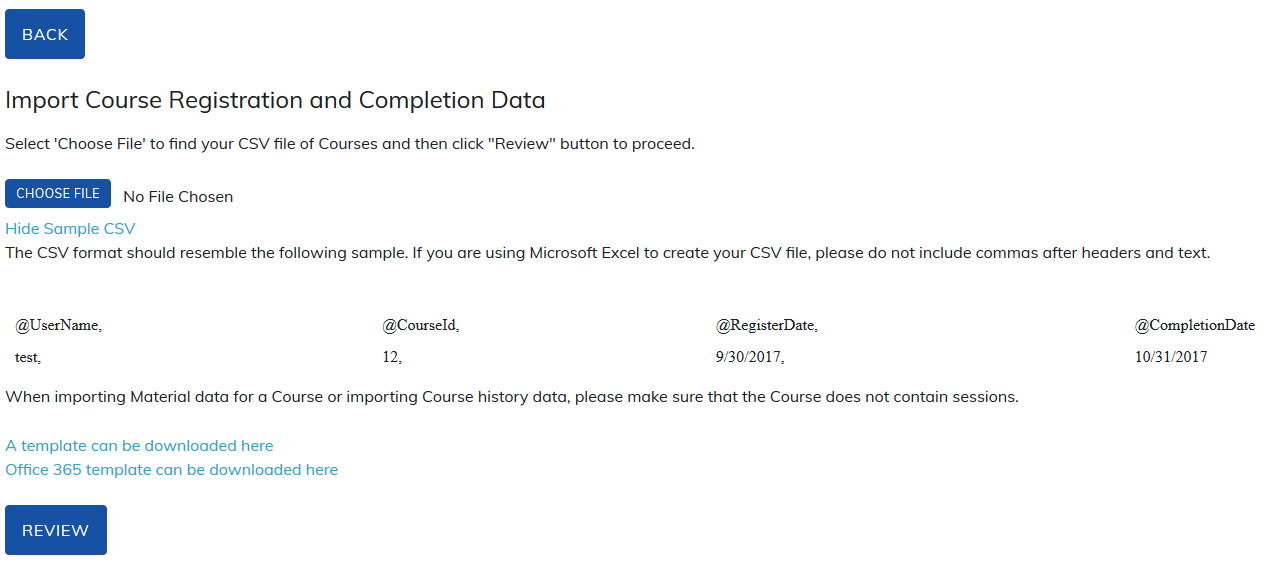
@Username, @Courseid and @RegisterDate are required.
All other fields are optional and can be removed or left blank if not used.
Note: @Courseid is a unique number assigned to the course and can be found in Edit Basic Course Information section.
You can add the same user to multiple courses in the same file. You need a new row for each course for the user, for example:
@UserName, @CourseId, @RegisterDate,
TOPYXlearner, 12, 5/30/2020,
TOPYXlearner, 15, 5/30/2020,
TOPYXlearner, 23, 5/30/2020,
Always use the Review option on your file as it will:
- Alert you if there are any users in your site with a username contained within your file.
- Alert you if any data is missing for required fields.
- Alert you to errors in the file. For example, periods and commas. Smith Jr. would fail as no periods are allowed.
The field '@OverwriteCompletion’ allows Administrators to modify existing completion dates for their Learners. The Administrator will need to include the original registration date in the ‘@RegisterDate’ column, add the new Completion Date in the ‘@CompletionDate’ column and if ‘Yes’ is added in the ‘@OverwriteCompletion’ column the existing record will be updated with the new completion date. If ‘No’ is added to the ‘@OverwriteCompletion’ column a new record will be added to the Learner’s Transcript with a new completion for the Program/Course/Material listed.
Please note: If the ‘@OverwriteCompletion’ column is left blank, any existing record will not be overwritten. Instead TOPYX will treat this as a new record.
Was this article helpful?
That’s Great!
Thank you for your feedback
Sorry! We couldn't be helpful
Thank you for your feedback
Feedback sent
We appreciate your effort and will try to fix the article