The Manager Dashboard has been designed to provide Managers with a single tab to view and update activities involving Learners in their User Groups.
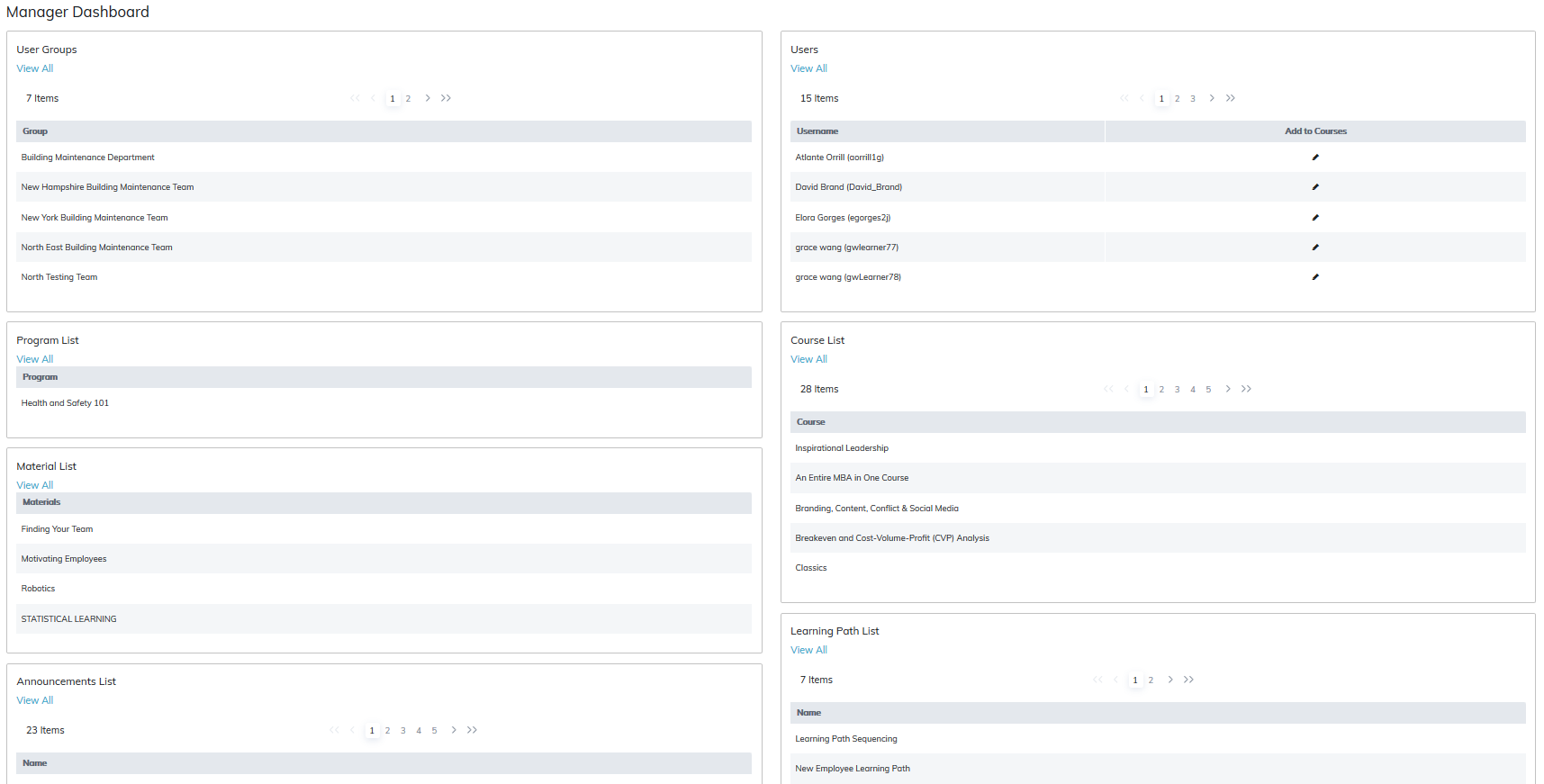
Tables include:
- Managers can view their user groups
- View their learners and place them directly into multiple courses.
- Clicking Add to Courses will present a list of courses the manager can add their learners to directly
- Managers can view all programs, courses, materials, and learning paths associated with their user groups.
- Announcements for groups are all visible
Charts include:
The available charts on the Manager Dashboard will present data from the date of the Site's creation. Clicking on any of the dashboards will take the Manager to the corresponding Report however when viewing the Report, the default date range will be only one month and not all available data. Please, therefore, be aware the data may differ when viewing the associated Report.
The following Charts have been added to the Manager Dashboard.
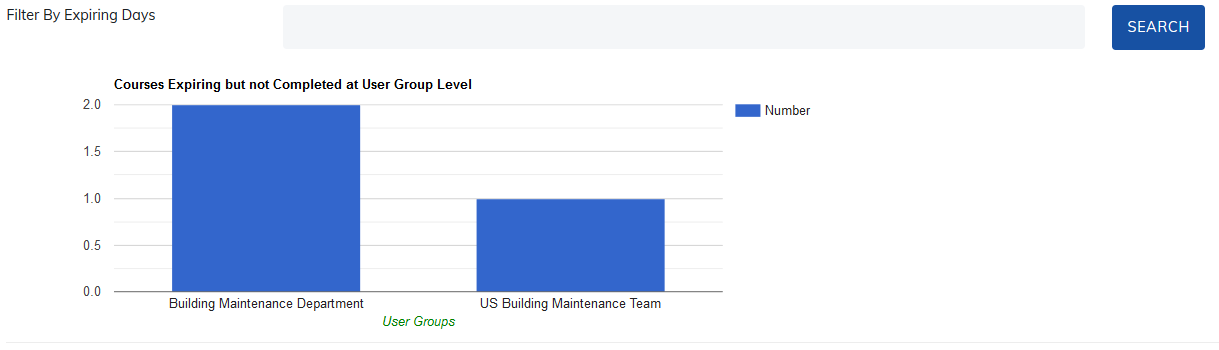
Courses Expiring but not Completed at User Group Level
The dashboard will display user groups containing learners with courses expiring but not completed within a set number of days with an option to filter those days. A manager will only see courses in this dashboard connected to the user groups they manage.
Clicking on a column will take the manager to the upcoming expirations report.
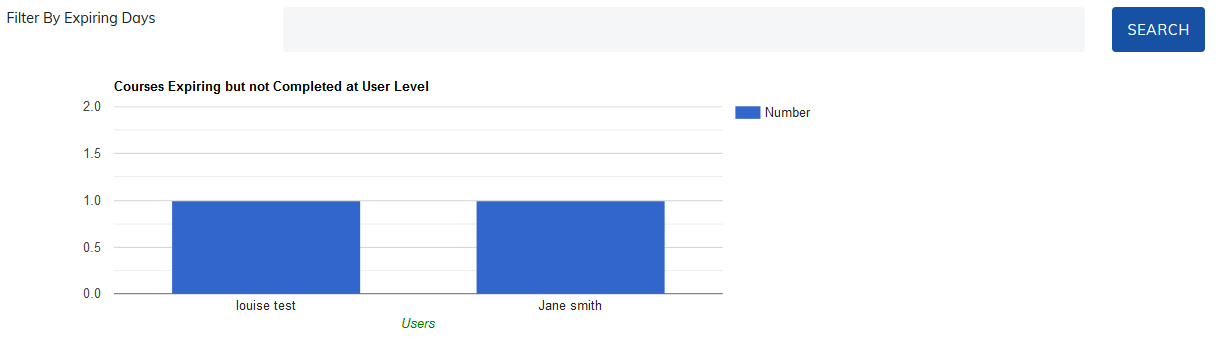
Courses Expiring but not Completed at User Level
The dashboard will display Learners with Courses expiring but not completed within a set number of days with an option to filter those days. A Manager will only see Courses in this Dashboard connected to the User Groups they manage.
Clicking on a column will take the Manager to the Upcoming Expirations Report.
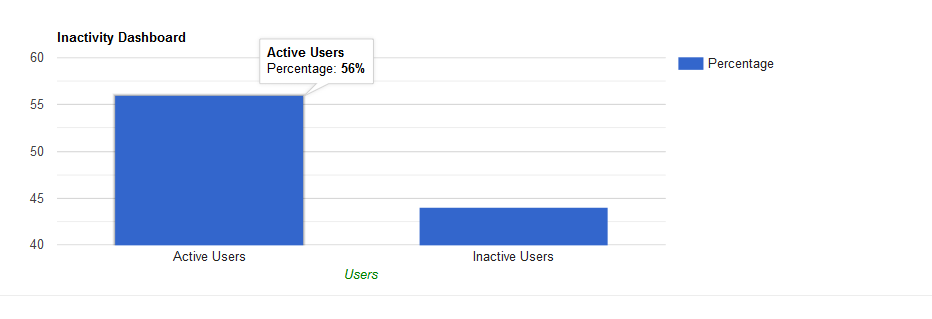
Inactivity Report
The Inactivity Dashboard will display the number of Learners in User Groups the Manager manages yet to Log in to their TOPYX site.
Clicking on this report will take the Manager to the Inactivity Report.
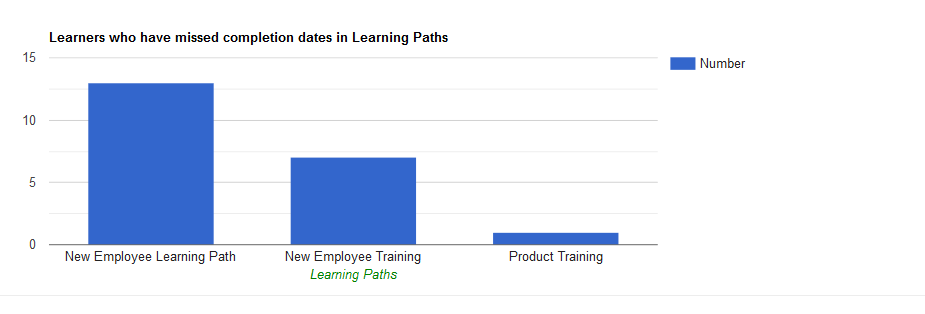
Learners who have missed completion dates in Learning Paths
Learners who miss completion dates in Learning Paths will appear in this report. Clicking on the Dashboard will take the Manager to the Learning Path Report.
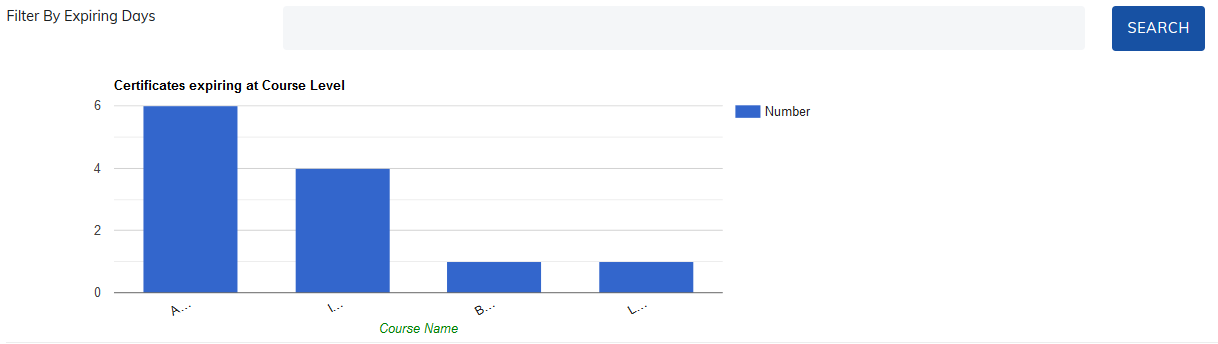
Course Certificate Expirations
Certificates expiring at Course Level will display to Managers the Courses with Certificates are expiring within a certain time period.
Clicking on the dashboard will take Managers to the Certificate Report.
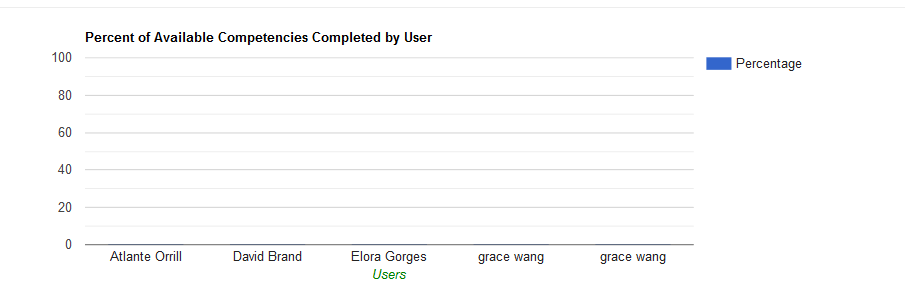
Competencies Completed by Users
Percent of Available Competencies Completed by User will display Users who are working on Competencies and their percentage of completion in each Competency.
Clicking on the dashboard will take Managers to the Competency Report.
Please note: The site admin determines what tables and charts show on the manager dashboard.
Was this article helpful?
That’s Great!
Thank you for your feedback
Sorry! We couldn't be helpful
Thank you for your feedback
Feedback sent
We appreciate your effort and will try to fix the article