When eCommerce is added to your site, the Manage Currency section will appear on the administrator home page. This feature allows you to add currencies to your site for subscriptions, programs, courses, and materials to be offered in the site catalog.

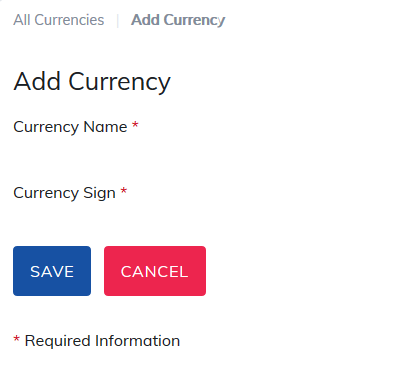
To add a currency, click Add Currency. Add the currency name and sign to appear in the catalog and then click Save.
The Currency will be saved and can be used when adding prices to your subscriptions, programs, courses, and materials.
Please note: When multiple currencies are offered in a catalog, when a learner adds an item to their shopping cart, they will be limited to just that currency.
For example, If courses are offered in USD and euro, when a learner adds a course to their cart in USD, they will only be able to add other courses to their cart in USD. Once they have completed their check out, they will be presented with euro offerings and pricing again.
Shopping Carts supported by TOPYX include PayPal Pro, PayPal Flow, Authorize.net, 2CO, Ogone, Pay.GOV and CashNet.
Was this article helpful?
That’s Great!
Thank you for your feedback
Sorry! We couldn't be helpful
Thank you for your feedback
Feedback sent
We appreciate your effort and will try to fix the article