The Header and Footer settings allow administrators to customize the top and bottom areas of your training site, adding links, tools, and tracking codes to enhance navigation and functionality.
Header Area
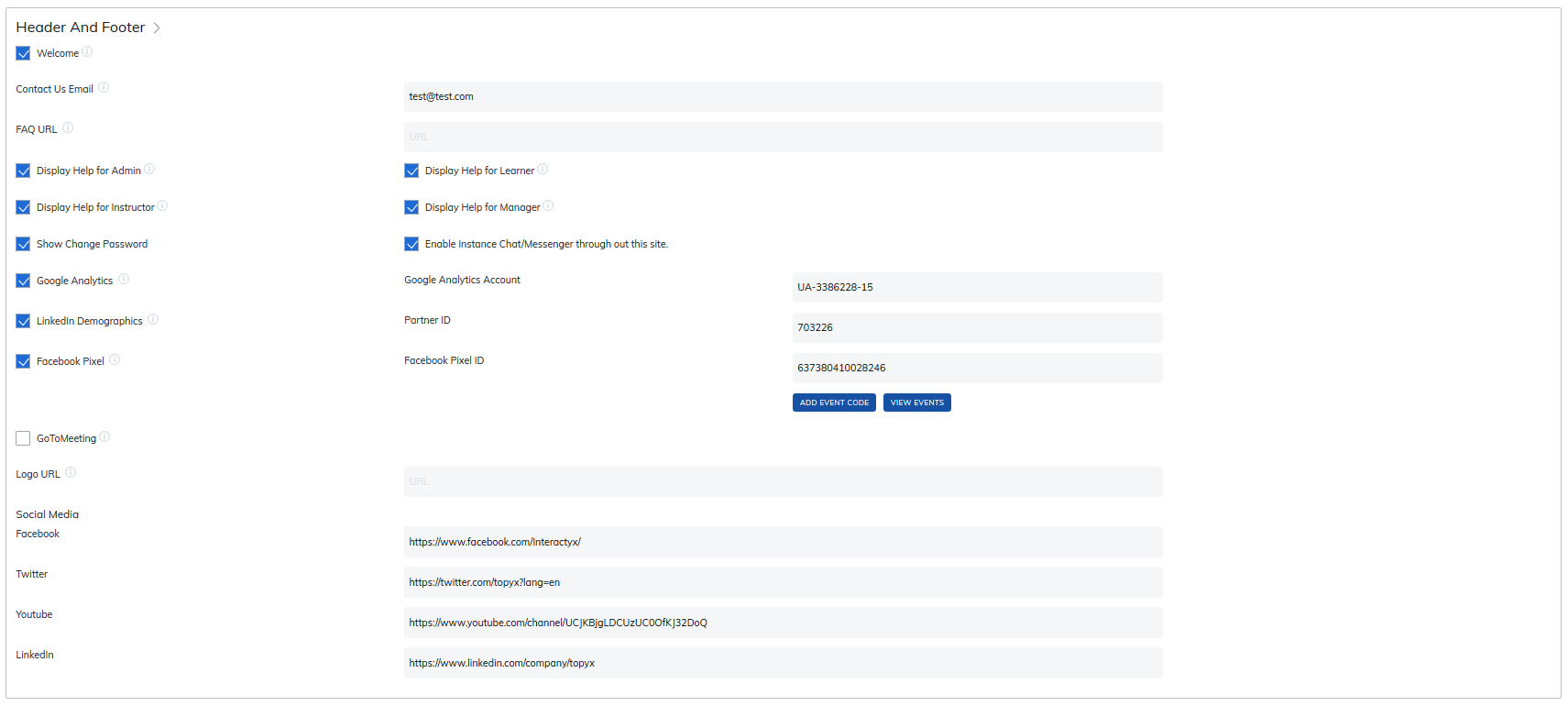
The header can include the following elements (see the info bubbles on the Admin page for additional guidance):
- Welcome / My Profile links: Quick access for users to their profile page
- Contact Us Email: Configurable email link
- FAQ URL: Direct access to frequently asked questions
- Display Help for Admin / Learner / Instructor / Manager: Toggle to display help based on the person's role.
- Show Change Password: Option for users to update their password
- Enable Instant Chat/Messenger: Enable real-time messaging for users
- Social Media & Tracking Codes: Visible only to admins.
- Google Analytics: Add your GA account number
- LinkedIn Demographics: Add your Partner ID
- Facebook Pixel: Add your Pixel ID and select the pages to track; include event codes as needed
- GoToMeeting: Shortcut to meetings
- Logo URL: Link your site logo to your main website
Footer Area
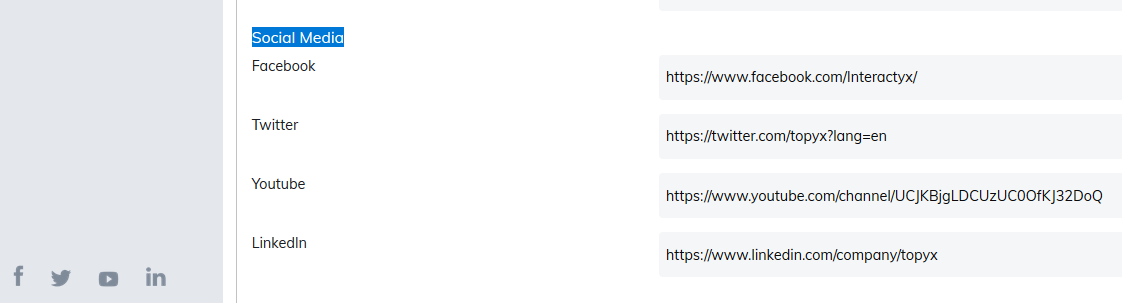
The footer can include social media icons displayed in the lower-left corner of your site. Available options:
- YouTube
Was this article helpful?
That’s Great!
Thank you for your feedback
Sorry! We couldn't be helpful
Thank you for your feedback
Feedback sent
We appreciate your effort and will try to fix the article