Side Navigation Bar
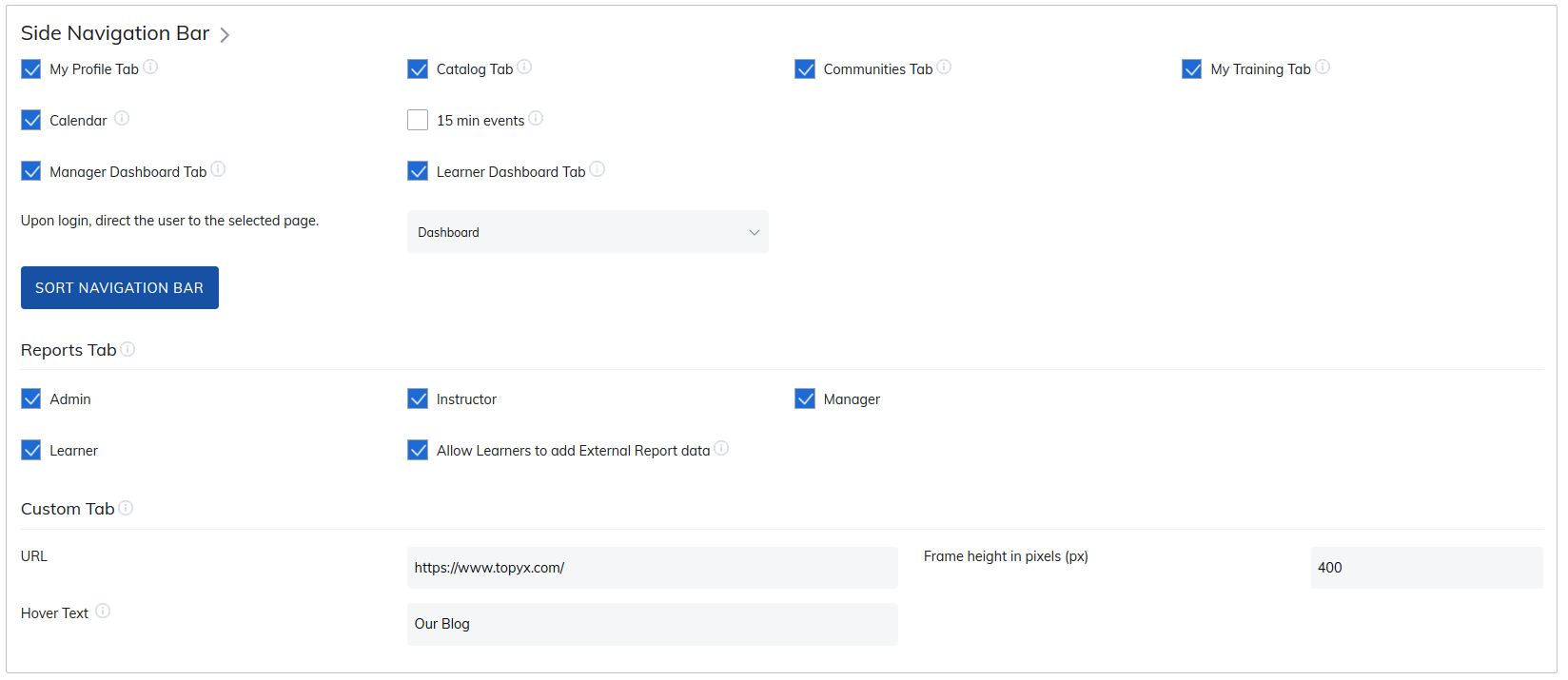
The Side Navigation settings let you control which navigation options appear for users on the left side of the site.
You can also choose the default landing page for learners in this area. Users with higher roles (admins, instructors, and managers) will continue to land on their respective admin or dashboard pages.
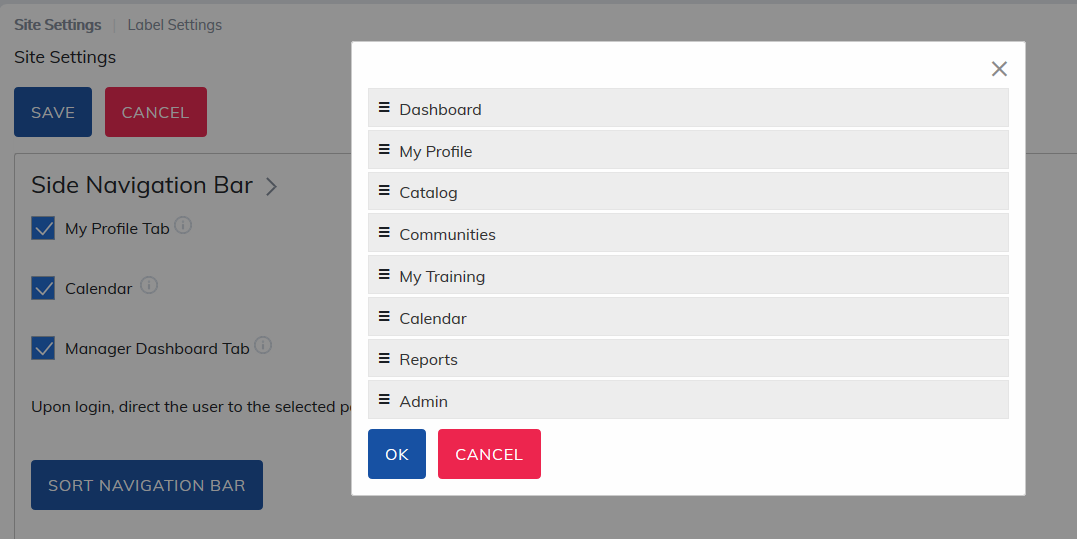
Sort Navigation Bar
Select Sort Navigation Bar to drag and drop navigation items into the desired display order for users.
Reports Tab
The Reports tab allows you to control which roles have access to reporting.
You can also allow learners to add external training records (for example, training completed outside the platform) to their transcript.
Options include:
- Allow learners to add their own external training records
- Prevent learners from adding records while allowing managers or admins to add them via Admin Panel > Manage User > Learner Transcript Report.
Custom Tab
Enabling the Custom tab adds an additional navigation item for users. This tab opens an iFrame within the platform, allowing users to view external resources without leaving the site (for example, a company blog).
Important:
For iFrames to work properly, security protocols must match:
- HTTPS to HTTPS
- HTTP to HTTP
- HTTPS is strongly recommended.
Was this article helpful?
That’s Great!
Thank you for your feedback
Sorry! We couldn't be helpful
Thank you for your feedback
Feedback sent
We appreciate your effort and will try to fix the article