The Label Settings page allows administrators to rename various navigation items and interface labels throughout the site. This helps align the platform language with your organization’s terminology.
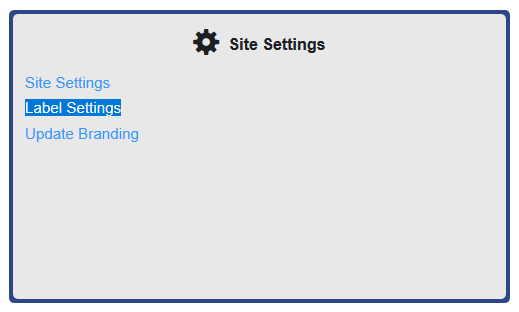
To access this page, navigate to Site Settings > Label Settings.
Page Sections
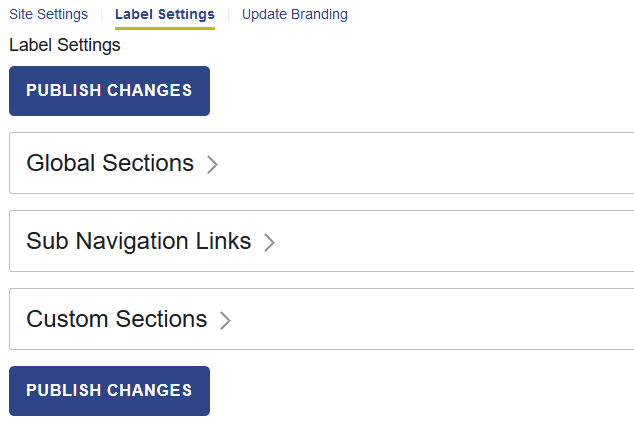
The Label Settings page is organized into three areas:
- Global Sections: Side navigation and catalog subtabs
- Sub Navigation Links: My Profile and My Training
- Custom Sections: Custom Navigation Bar, Custom Top Content, and Footer
How to Update Labels
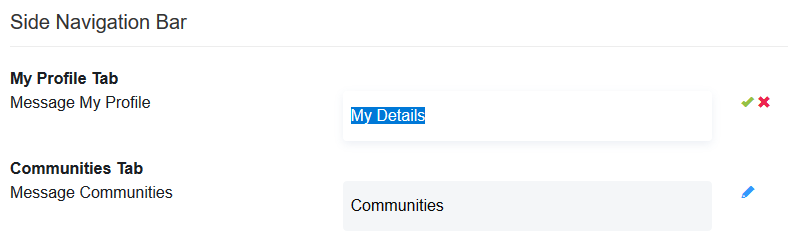
- Select the field you want to update.
- Click the pencil icon next to the field and edit the text.
- Click the green check mark to confirm the change.
- After making all updates, click Publish Changes to apply them.
Labels You Can Change
| Label | Description |
|---|---|
Global Sections | This appears in your browser's tab title. |
| Side Navigation Bar |
|
| Catalog Subtabs |
|
| Sub Navigation Links > My Profile Page |
|
| Sub Navigation Links > My Training |
|
| Custom Sections |
|
Was this article helpful?
That’s Great!
Thank you for your feedback
Sorry! We couldn't be helpful
Thank you for your feedback
Feedback sent
We appreciate your effort and will try to fix the article