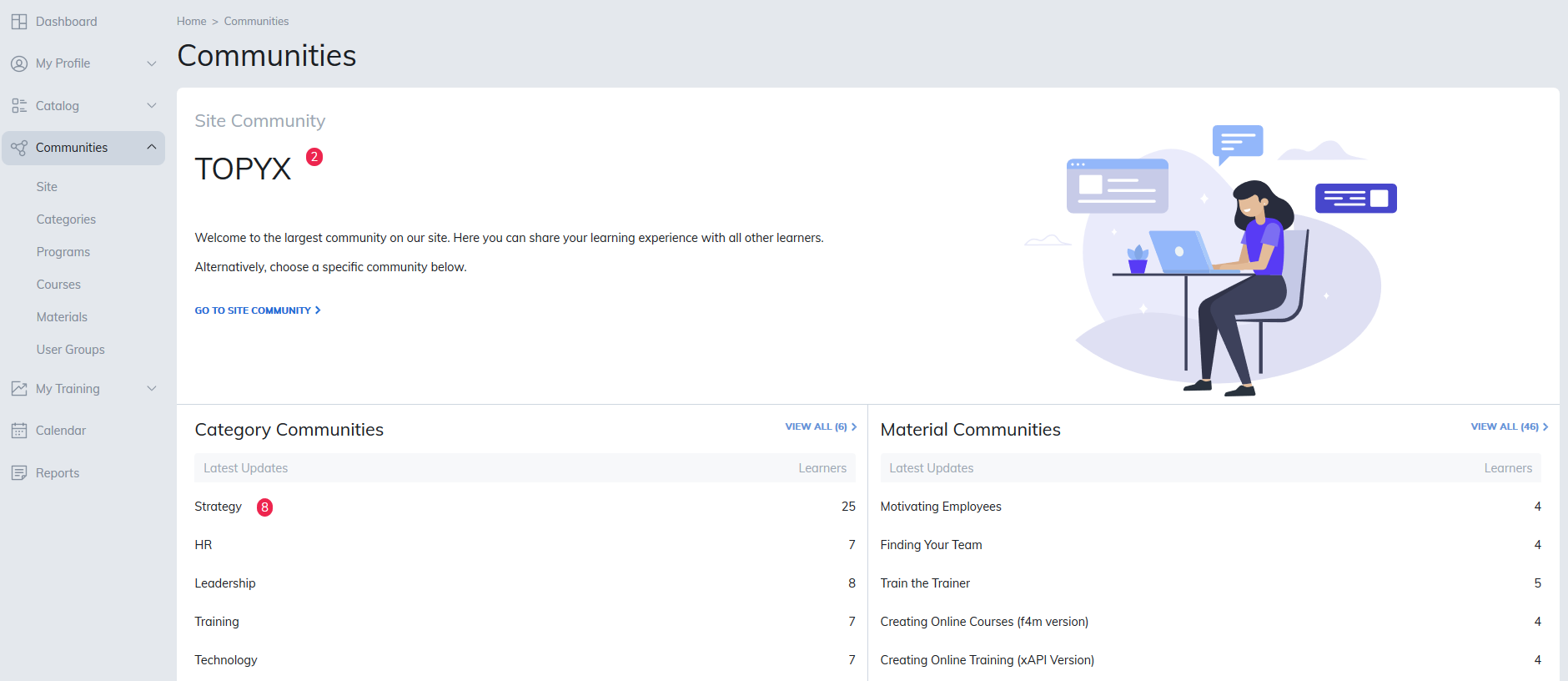
Communities provide a space for collaboration between instructors, managers, and learners within your site. Depending on your version of the platform, your site may support up to six types of communities: Site, Category, Program, Course, Material, and User Group.
By enabling communities in Site Settings, you can add them when creating categories, programs, courses, materials, or user groups.
Community Options
Communities can include the following features:
- Forums: Threaded conversations with options to reply, start new threads, and like posts.
- Media Galleries: Upload audio, images, and video with like and comment features.
- Events: Populated via the Publishing Tool and can be community-specific.
- Upcoming Events: Option to sort upcoming events
- Past Events: Option to sort past events
- Articles: Link to external internet articles to support collaboration.
- Documents: Allow users to add additional resources.
Note: Text/HTML editors in TOPYX support a maximum file load of 500 MB.
Additional Community Features
- Display User Name: Choose whether to show full names or just usernames of community members.
- Show Admin: List site administrators as moderators in all communities.
- Push Communities to the Top with Notifications: Highlights communities with the most recent activity for easy access.
Was this article helpful?
That’s Great!
Thank you for your feedback
Sorry! We couldn't be helpful
Thank you for your feedback
Feedback sent
We appreciate your effort and will try to fix the article