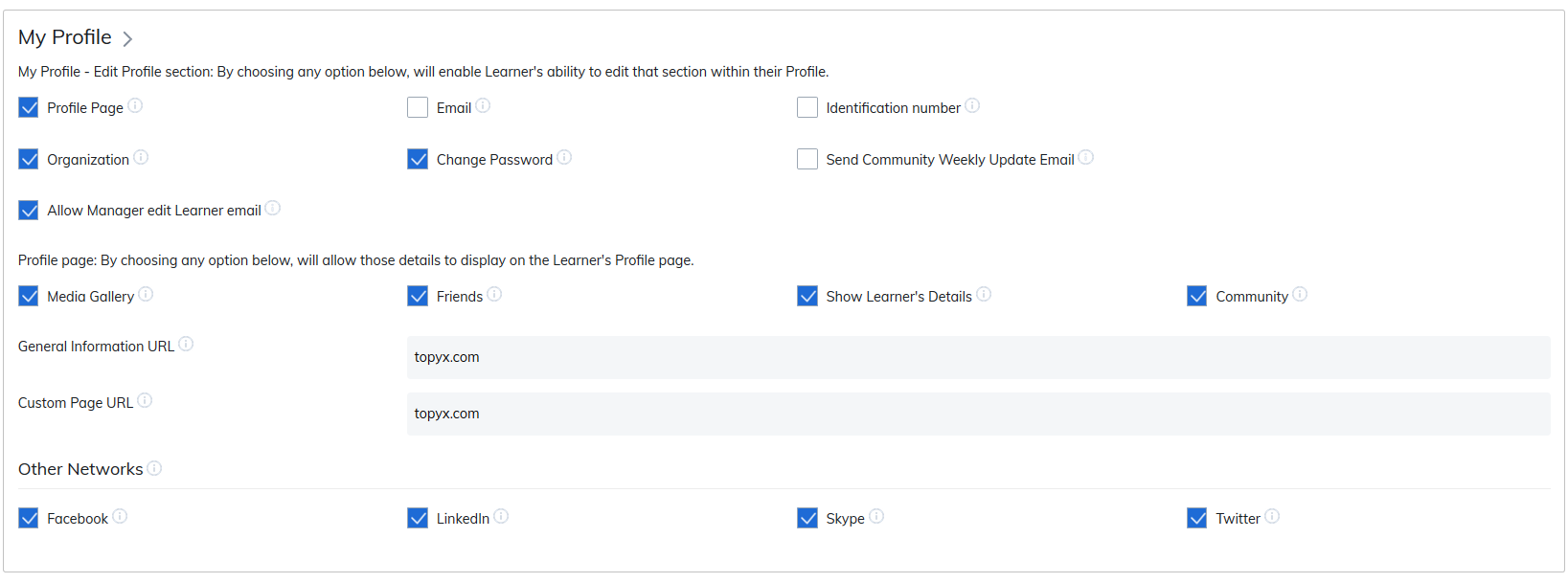
The profile page contains all information related to a user and their account. Settings selected on the Admin Site Settings page apply globally, controlling what users can see and do across the site.
As you review the options in this section, use the info bubbles (ⓘ) next to each setting for additional guidance and concise explanations.
Custom iFrame Links
Administrators can add up to two custom iFrame links to display external content directly on the profile page. Recommended dimensions for these pages are 950 x 600 pixels.
Examples of suitable content:
- Company homepage
- Blog pages
- Helpful resources or guides
External Networks
Enabling external networks allows users to connect their personal social media accounts to the site. Once enabled, users can add URLs for:
Learner View
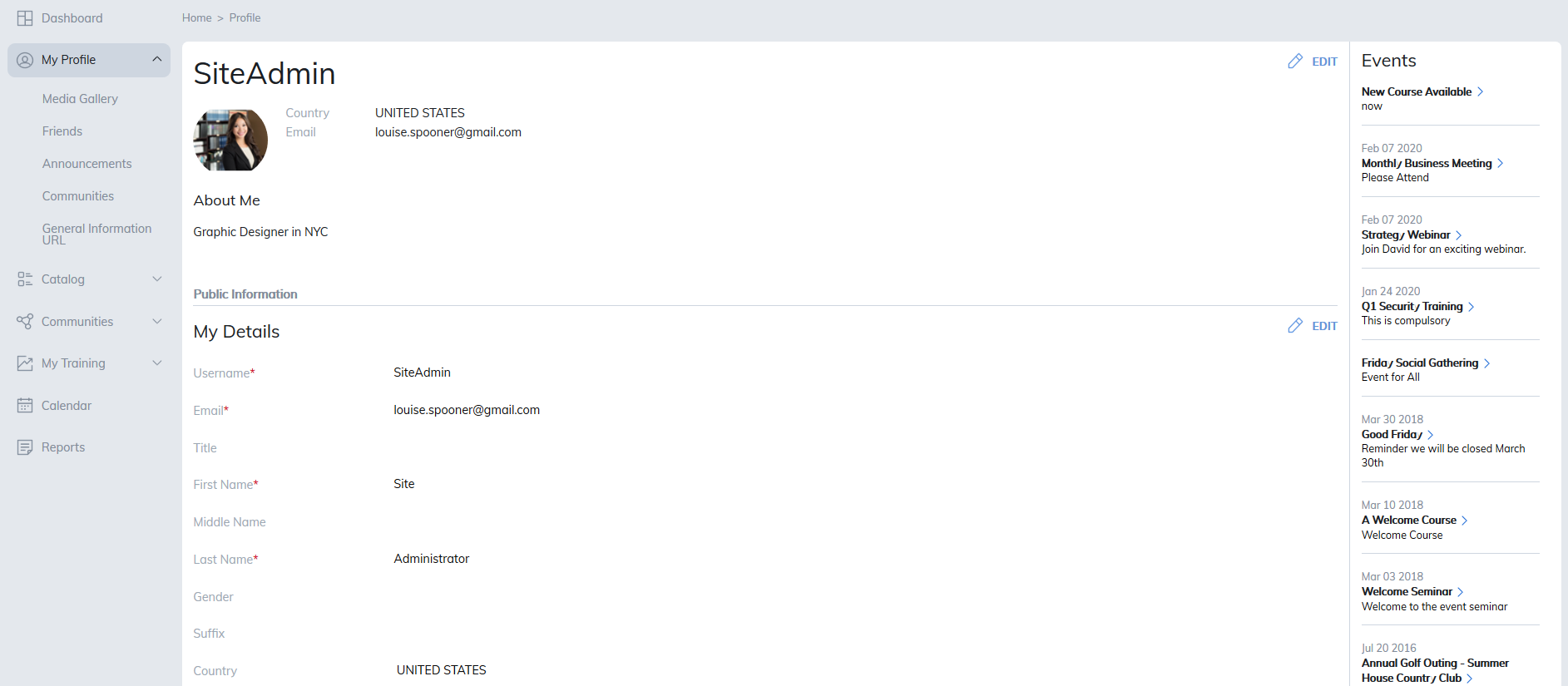
A learner’s My Profile page will reflect the settings and customizations you configure, including custom iFrames and available external network links.
Was this article helpful?
That’s Great!
Thank you for your feedback
Sorry! We couldn't be helpful
Thank you for your feedback
Feedback sent
We appreciate your effort and will try to fix the article