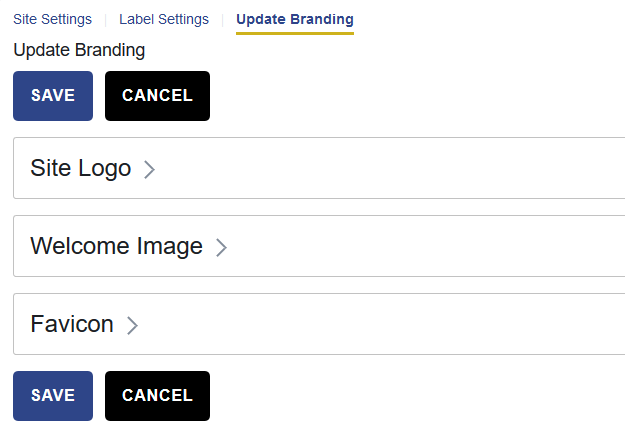
The Update Branding page allows administrators to customize the visual elements of their site, including the logo, welcome image, and favicon.
To access the settings, navigate to Site Settings > Update Branding.
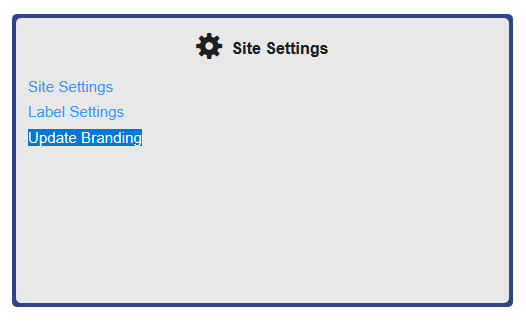
Select the item you want to update. Options include the site logo, the welcome image, or the favicon.
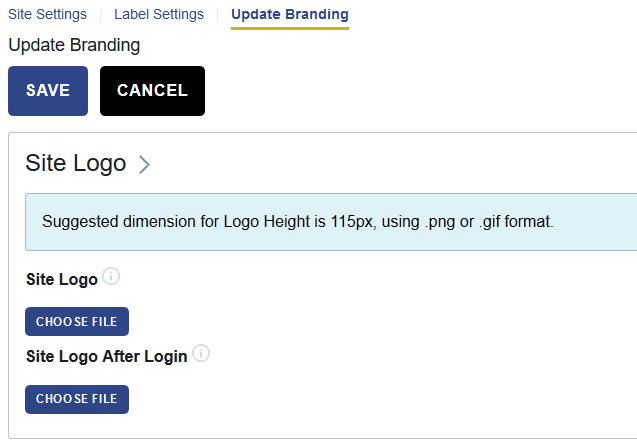
Choose the file you want to add or replace. Then upload the file.
File size and format recommendations are provided on the page to help ensure the best results.
After uploading, use Preview to review your changes before selecting Save.
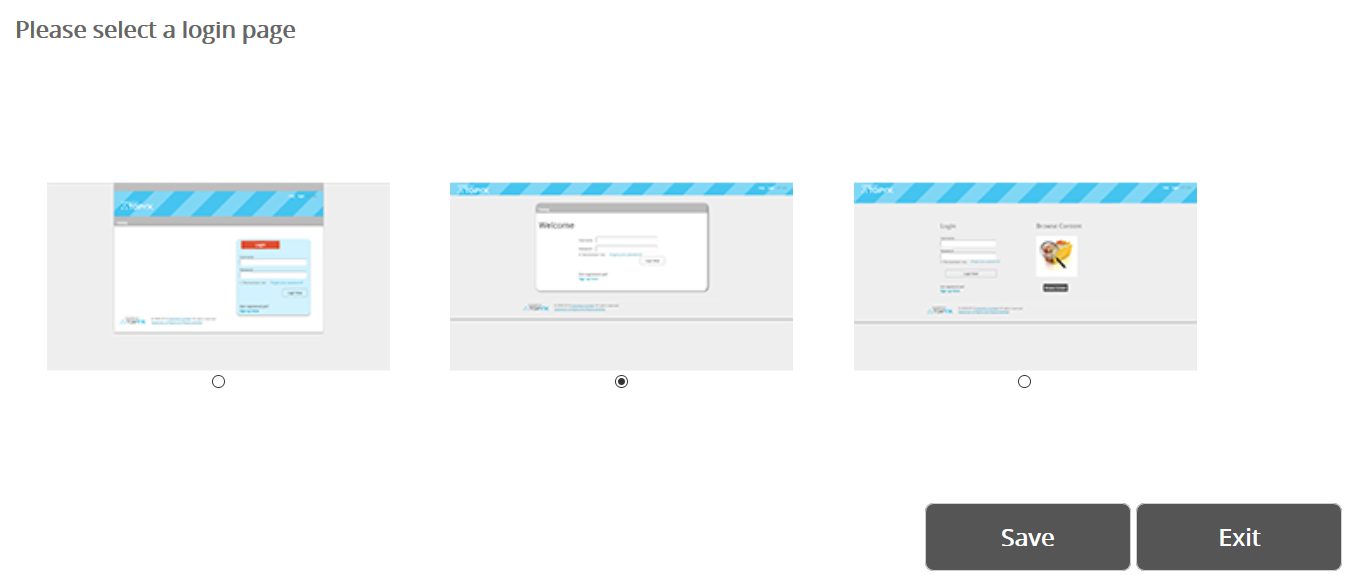
Login Page Credentials Box Location
Our team can adjust the position of the login credentials box on the login page.
Available options:
- Right-justified (default)
- Center
- Left-justified
To request a change, contact us with your preferred option, and the team will update the setting for you.
Was this article helpful?
That’s Great!
Thank you for your feedback
Sorry! We couldn't be helpful
Thank you for your feedback
Feedback sent
We appreciate your effort and will try to fix the article