This article explains how to delete user accounts by uploading a CSV file. Deleting a user through this process will remove the user and all associated history from the site.
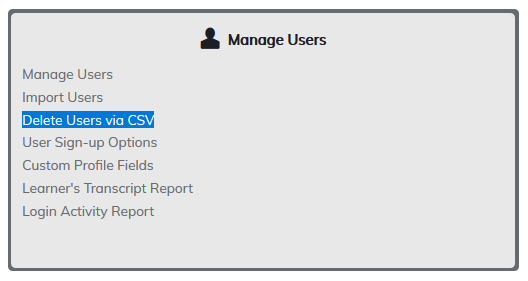
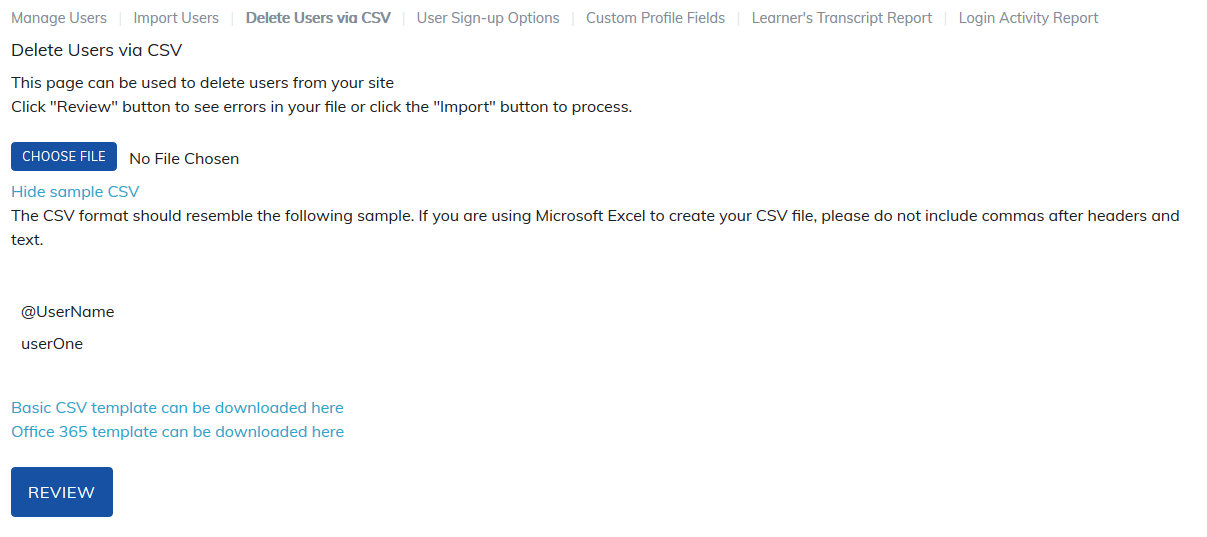
Only one field is required in the CSV file to delete a user: username.
Important: Use the Review Option
Before finalizing the deletion, always select Review after uploading your file. The review process will:
- Confirm whether the usernames in your file exist on your site.
- Alert you if any required data is missing.
- Identify formatting errors in the file (such as invalid characters).
- For example, usernames containing periods (e.g., Smith Jr.) will fail if periods are not allowed.
Finalizing the Deletion
After uploading the file and selecting Review, proceed to confirm the action. Once completed, the user account and all associated history will be permanently deleted from the site.
⚠️ This action cannot be undone.
Was this article helpful?
That’s Great!
Thank you for your feedback
Sorry! We couldn't be helpful
Thank you for your feedback
Feedback sent
We appreciate your effort and will try to fix the article