Learning paths can be assigned to individual learners and user groups.

Manage Users
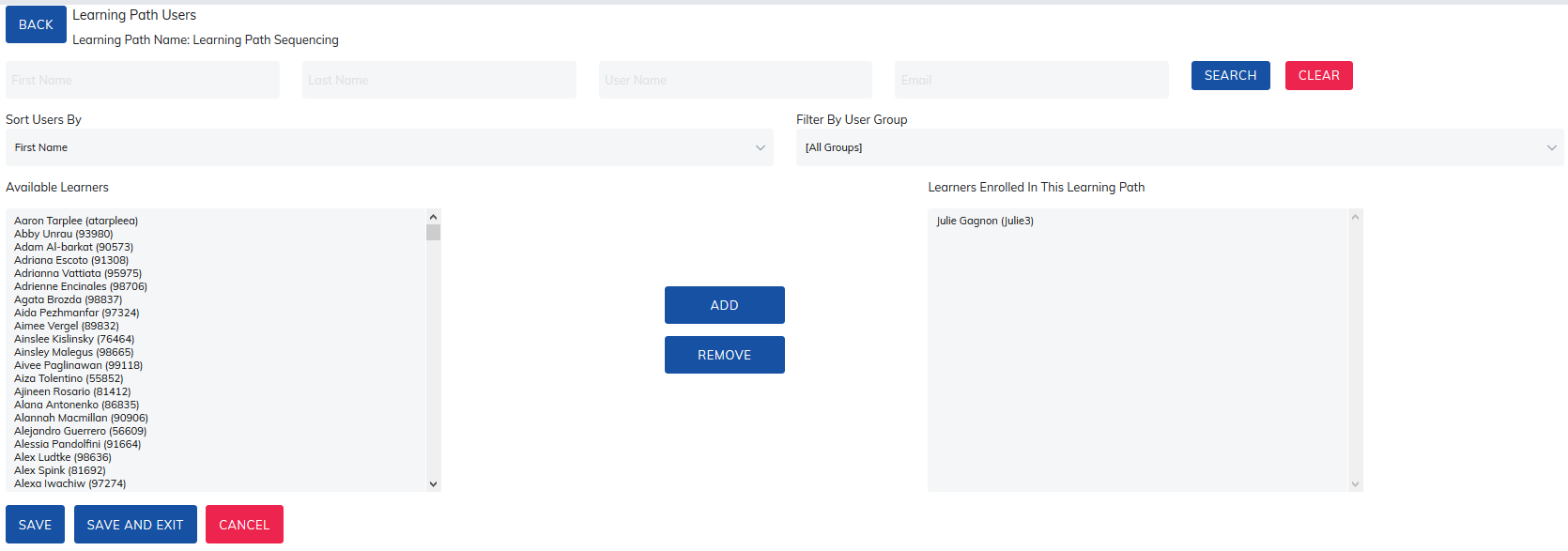
To assign Learning Path to individual Learners, select the Manage Users link.

- Search for a specific Learner by first name, last name, username, or email.
- Sort available and currently enrolled learners by first name or last name.
- Filter available and currently enrolled learners by user group.
Add Learners
- In the Available Learners section, select the learner(s) you want to add.
- You can hold down the Ctrl key to select multiple learners.
- Click Add.
- Click Save once all learners have been added.
Remove Learners
- In the Learners Enrolled in this Learning Path section, select the learner(s) you want to remove.
- You can hold down the Ctrl key to select multiple learners.
- Click Remove.
- Click Save or Save and Exit.
Manage User Groups
To assign Learning Path to User Groups, select the Manage User Groups link.

To view both main level and child groups, click on Expand All and check the boxes for each user group.
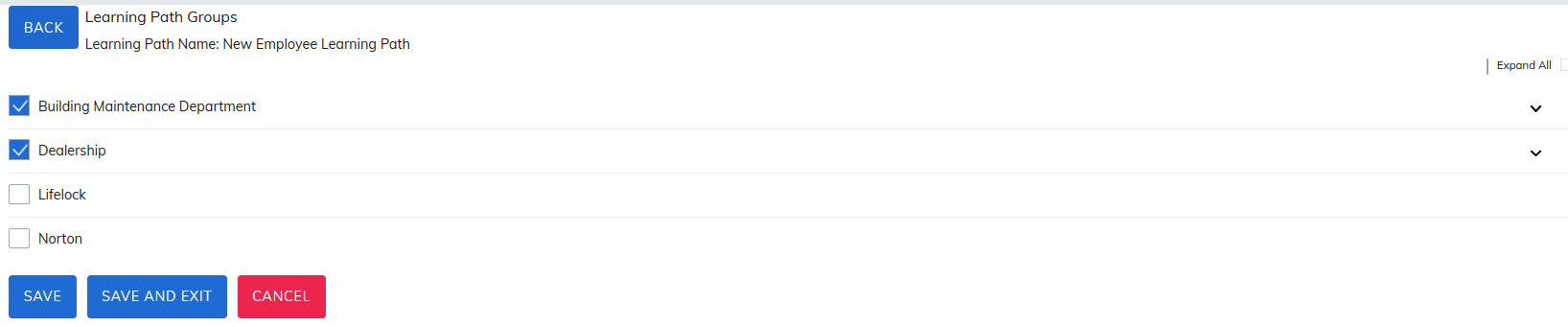
Once user groups are selected for the learning path, administrators or managers can simply add learners to those user groups and learners will automatically be assigned to the learning path.
Was this article helpful?
That’s Great!
Thank you for your feedback
Sorry! We couldn't be helpful
Thank you for your feedback
Feedback sent
We appreciate your effort and will try to fix the article