This option will enable the override of quiz settings for selected learners. This may include:
- Changing the number of attempts allowed
- Changing the dates the learner may take the quiz
- Setting a different password.
To override a setting for a learner, edit the quiz and choose User Override.
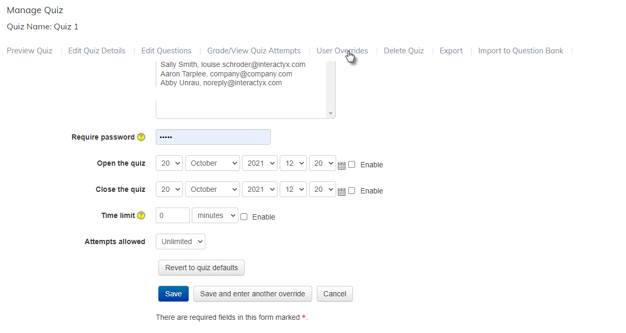
Select the learner, enter the changes for the learner, then save.
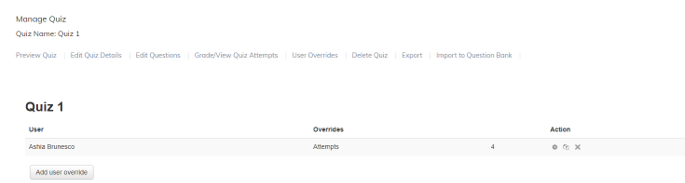
Any quiz setting overrides for selected Learners in the quiz will appear and can be edited or deleted at any time using the icons on the right.
Was this article helpful?
That’s Great!
Thank you for your feedback
Sorry! We couldn't be helpful
Thank you for your feedback
Feedback sent
We appreciate your effort and will try to fix the article