Language Groups offer the ability to specify a language for users in a particular user group. This requires the language add-on enabled on your site.
The language group option is useful for widely dispersed international teams whereby some users might be using a different language to other users of the same organization. It allows the administrator to set up user group teams, then specify a different language for each team.
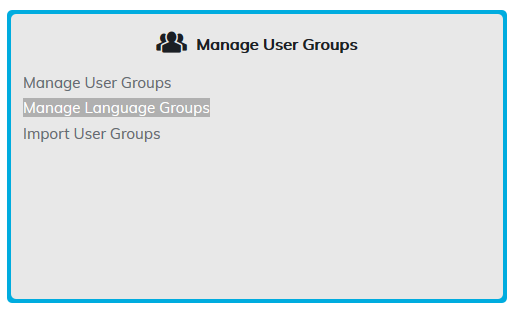
Create Language Group
To create a main level user group, click on the Create Language Group link.
This page enables you to manage your Language Groups. You can add, edit, delete groups by selecting the appropriate icon in the tree.
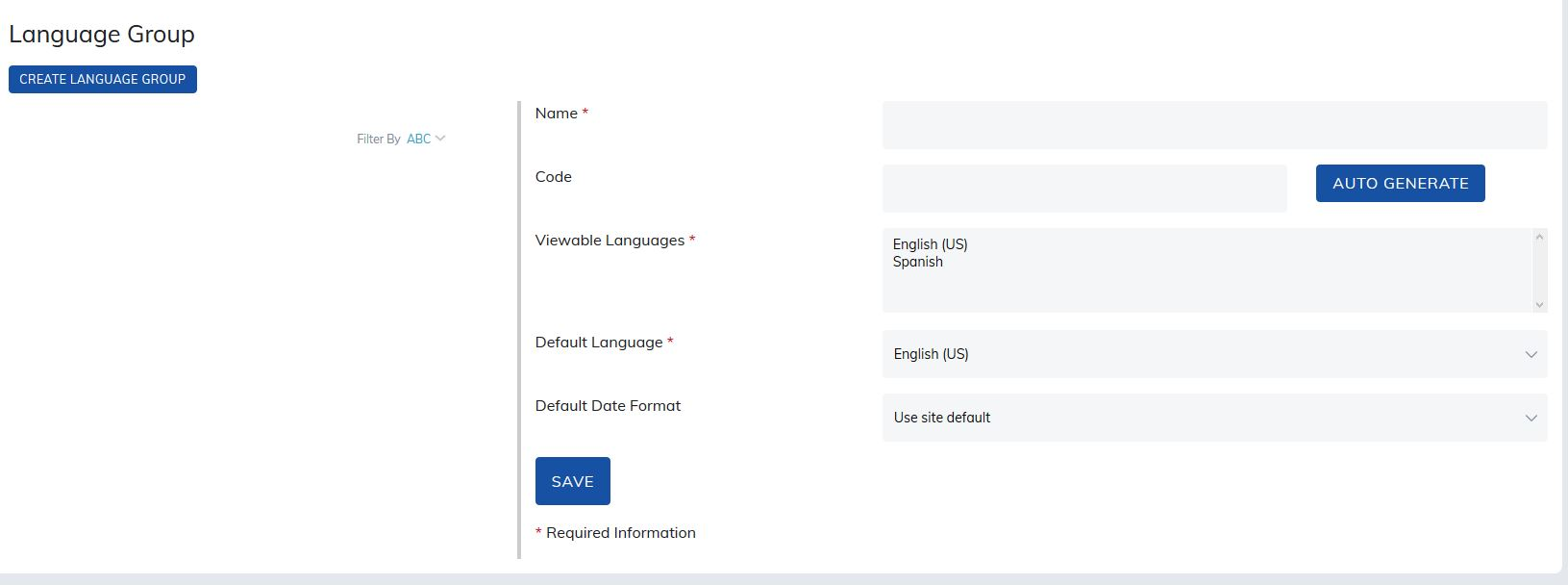
- Name: Name of your user group.
- Code: Language code works in parallel with the language code field on our sign up page. When new user enters this code, they will be automatically added to the language group.
- Viewable Languages: Select which languages you would like this group to see.
- Default Language: Choose the default language users will see upon login.
- Default Date Format: Choose the default date format users will see upon login. This may include using the site default, MM/DD/YYYY, or DD/MM/YYYY.
Was this article helpful?
That’s Great!
Thank you for your feedback
Sorry! We couldn't be helpful
Thank you for your feedback
Feedback sent
We appreciate your effort and will try to fix the article