An Activity Stream is a central feed that shows learners updates and notifications about their activity on the site, such as course progress, announcements, or interactions with content.
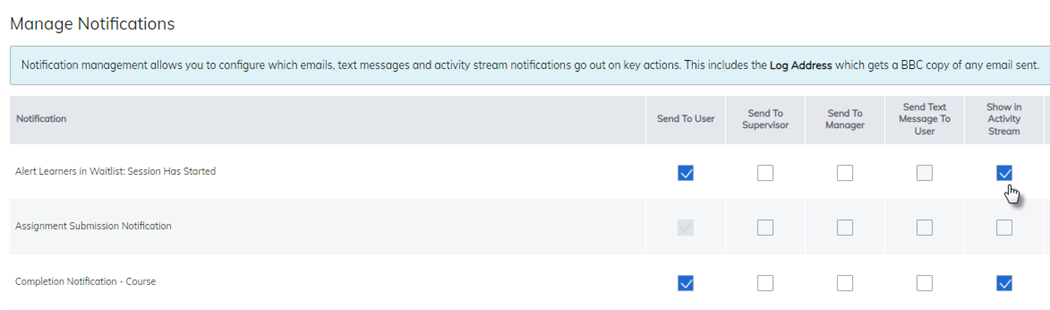
To enable this feature, go to the Admin Home page and select Notification Settings. From there, choose which notifications learners should receive under the Show in Activity Stream section.
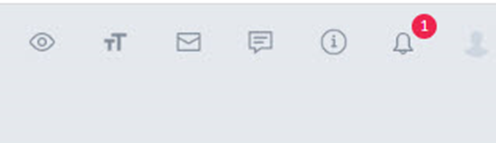
As notifications occur, learners will see the number of unread notifications displayed in the upper-right corner of the site.
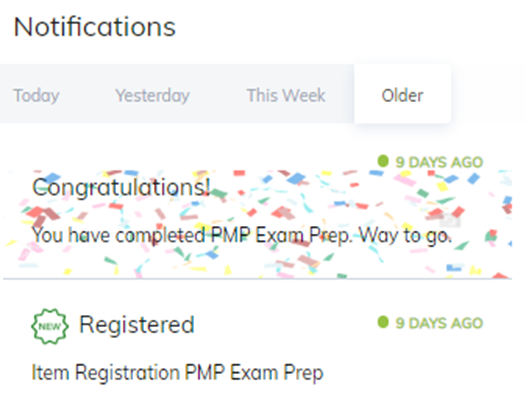
Clicking the notification icon opens the Activity Stream, showing updates categorized by Today, Yesterday, This Week, and Older.
Was this article helpful?
That’s Great!
Thank you for your feedback
Sorry! We couldn't be helpful
Thank you for your feedback
Feedback sent
We appreciate your effort and will try to fix the article