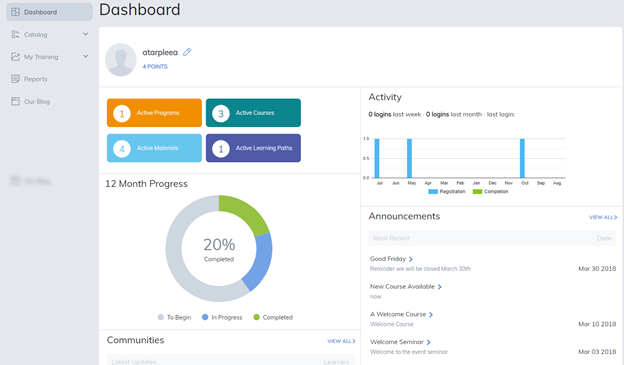
The Dashboard has been designed to provide you with a snapshot of your activity and provide easy, convenient access to your content all from one page.
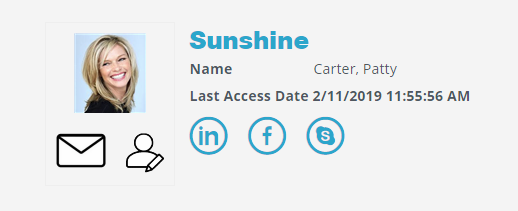
The profile section displays general details, allows you to send emails and edit your profile.
Note: When enabled, social network details can be added under the Edit Profile page.
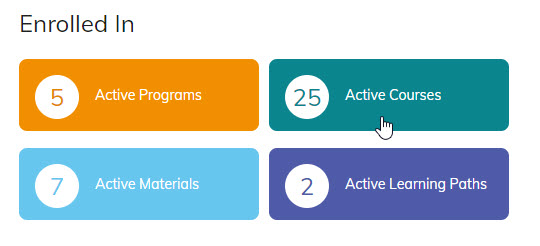
The active content section will display the number of programs, courses, materials, and learning paths available to you under My Training tab. Clicking on an icon will take you to the corresponding page to complete and review your active items.
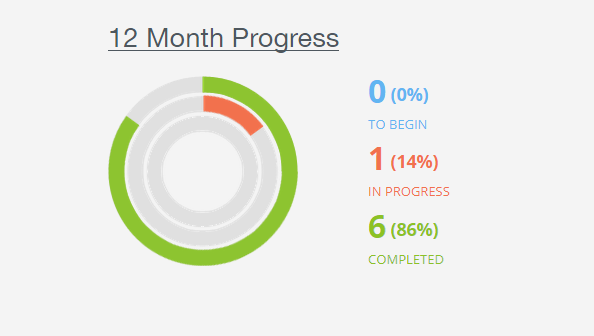
In addition to content access, you can also quickly see your twelve-month history. From viewing the number of registrations, in progress and completed items during the previous twelve months to view the exact months those registrations and completions happened.
12 Month Progress populates based on items:
- You have Registered with but not yet started
- Are currently in Progress but have not completed
- All Completed items
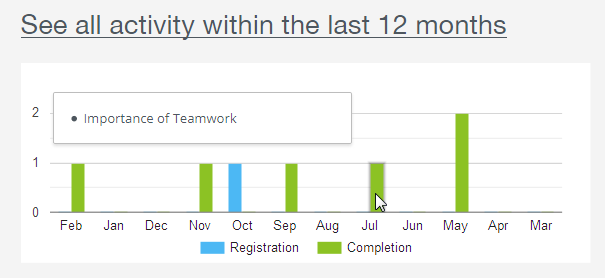
The 12 Month Activity chart populates registration and completion history over the last 12 months. Hover over any bar and it will display the name of the items for that month.
Based on what your administrator has enabled, additional sections may appear and will list up to, the five most recent items. Title names are live links allowing for quick access to that item. To view more than five items, simply select View All icon.
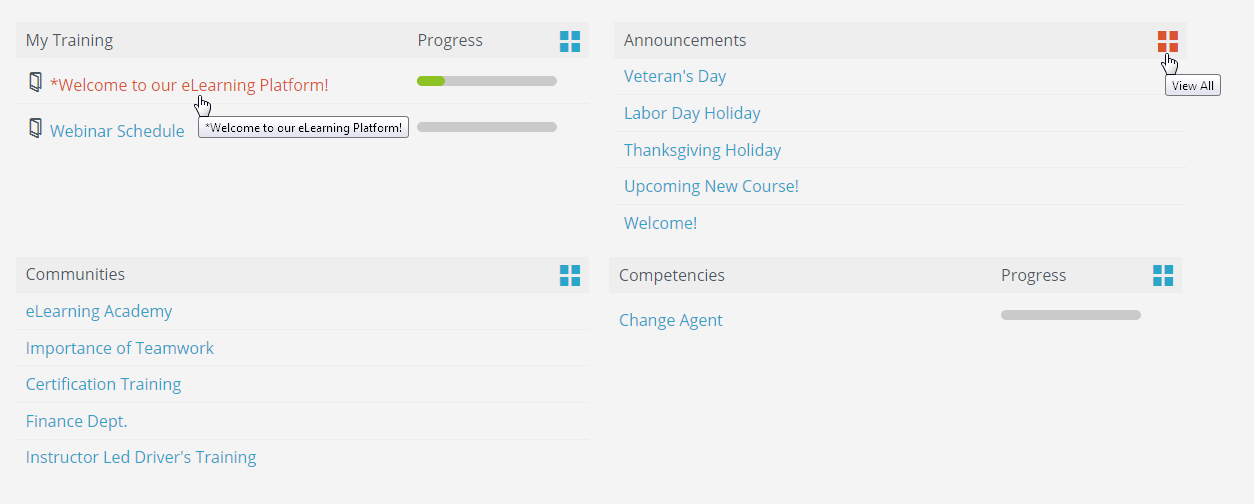
- My Training: Will display content by registration date.
- Announcements: Events are listed by the date they were created.
- Communities: Lists communities with recent activities.
- Competencies: Displays the competencies you are currently in the process of achieving and have achieved.
Was this article helpful?
That’s Great!
Thank you for your feedback
Sorry! We couldn't be helpful
Thank you for your feedback
Feedback sent
We appreciate your effort and will try to fix the article