How do I register for content?
From the navigation bar, select the Catalog tab. All content made available to you will display. Select Purchase or Register. You may already be enrolled in some content listed in the Catalog, meaning you can select Start to access the content's material.
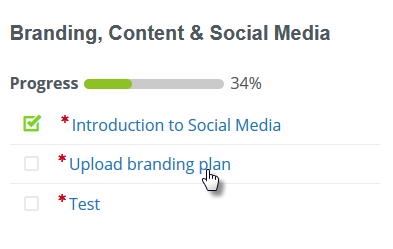
Use the course material links in the left panel to launch the Course Materials.
Which web browsers are supported?
The site operates on any current version of all major browsers:
Can I view the videos or take the course on my mobile device?
Yes, you can access all aspects of the training content on mobile devices.
How can I get a new password?
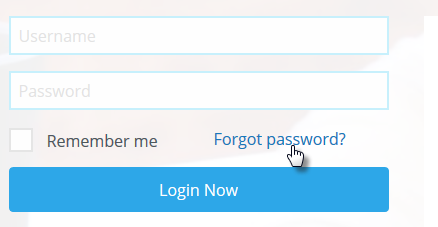
If you’ve forgotten your password, on your login page click on the Forgot your password link and an email will be sent allowing you to reset it.
Where do I get my Certificate of Training?
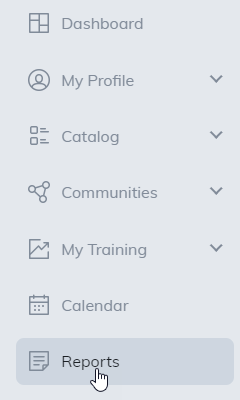
Once you have completed your content, a certificate may be awarded. If the content has a certificate associated with it, you can view and print your certificate by logging in and clicking on the Reports tab in the navigation bar.
How do I print my certificate of training?
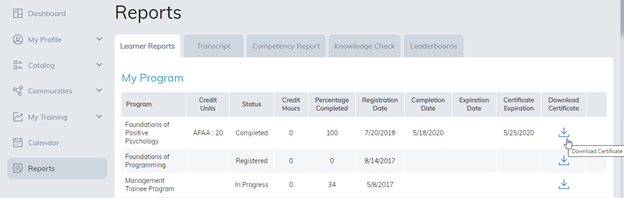
Click on the Download Certificate icon.
Unable to print your certificate of training?
If you have not completed the item and you select the Print/View Certificate button, a warning message will display at the top of the page alerting you that the certificate cannot be downloaded.
Or your site may only allow certificates to be printed once. If this is the case, upon downloading your certificate, the text on the Print/View Certificate button will change from black to white. If you select the button again, a warning message will display at the top of the page alerting you the certificate cannot be downloaded.
What if I have other questions or comments?
Click the Contact Us link at the top right-hand of the training page and send us a message.
Do I need a fast internet connection for videos?
Most residential cable and DSL connections should be more than adequate. If the video feels slow to load, try turning off any background downloads or peer-to-peer sharing applications. You can also push the play button in the player and then pause to let the video buffer before viewing.
Why don’t I have sound?
Check the volume setting for your sound devices, it may be disabled (muted) or set too low.
Was this article helpful?
That’s Great!
Thank you for your feedback
Sorry! We couldn't be helpful
Thank you for your feedback
Feedback sent
We appreciate your effort and will try to fix the article