Unable to Login?
If you have lost your password or can’t access the site with your current password, you can reset your password by selecting the Forgot Password link located within the Login section. In the pop-up box, type in your username and click the continue button.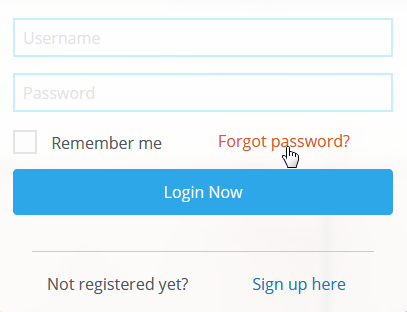
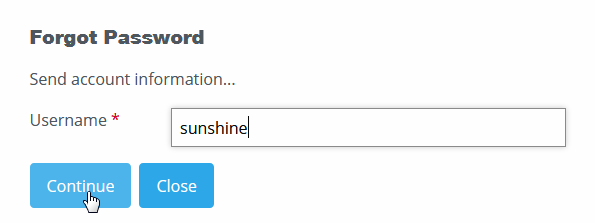
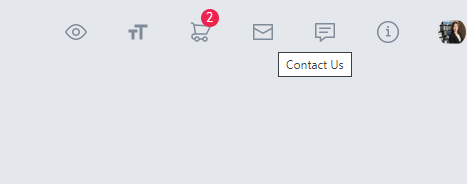
If you do not remember your username, please contact your administrator to reset your password using the Contact Us icon in the upper right corner of your training site.
I can't access my previous content?
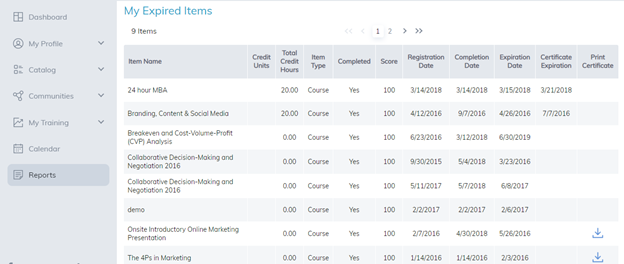
If you have previously registered for content and it is no longer visible, check the Reports tab - My Expired Items section to see if your access to them has expired.
If your content has expired, you will need to re-register for the item in order to access it again.
If the content has not expired and you still cannot access it, please use the Contact Us link for assistance or reach out to your administrator directly.
There is an error message on the page, where do I report this?
1. It might be that the site has been under maintenance, try refreshing your page or clearing the cache of your browser by clicking CTRL & F5.
2. If the error remains, please report the error via the Contact Us link in the upper right corner of the training site.
Was this article helpful?
That’s Great!
Thank you for your feedback
Sorry! We couldn't be helpful
Thank you for your feedback
Feedback sent
We appreciate your effort and will try to fix the article