When publishing content created in a Course Authoring Tool, such as Articulate or Captivate, the choices made will determine the data sent from the SCORM Package and the reporting your Learners and Administrators will see.
TOPYX is content agnostic (you may use any tool for SCORM or xAPI) however the following recommendations are shared to assist when publishing content.
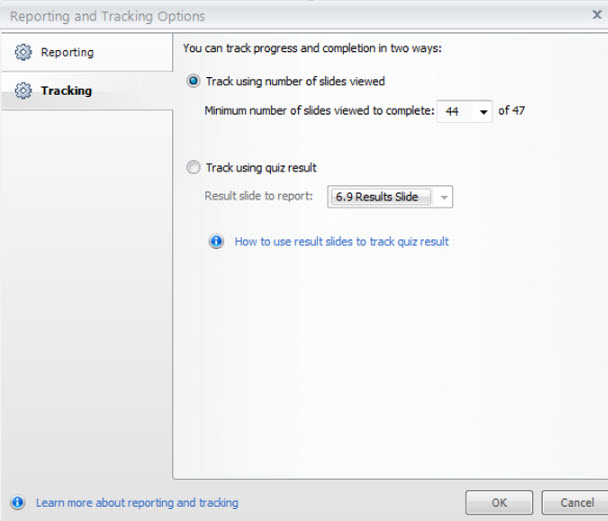
Scenario 1: Completion is based on number of slides viewed
Recommended Settings:
- Set tracking "View Slides" at one or two pages less than the number of pages in your SCORM (i.e if the total number of slides in the SCORM Course is 30, number of slides needed to complete should be set to 28)
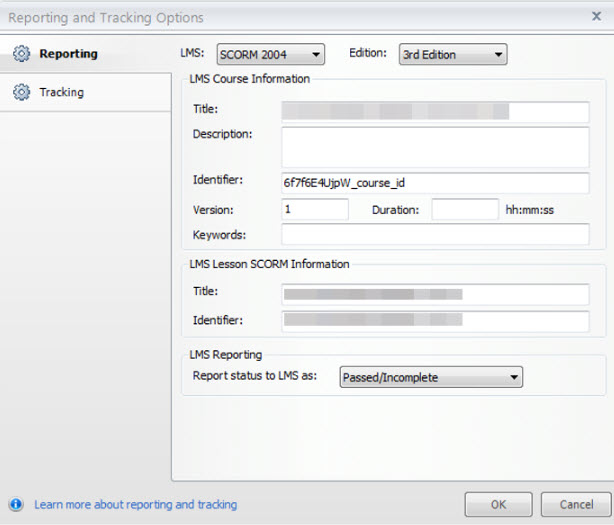
- Reporting and Tracking should be set to Complete/Incomplete
Scenario 2: Completion is based on achieving a minimum quiz score
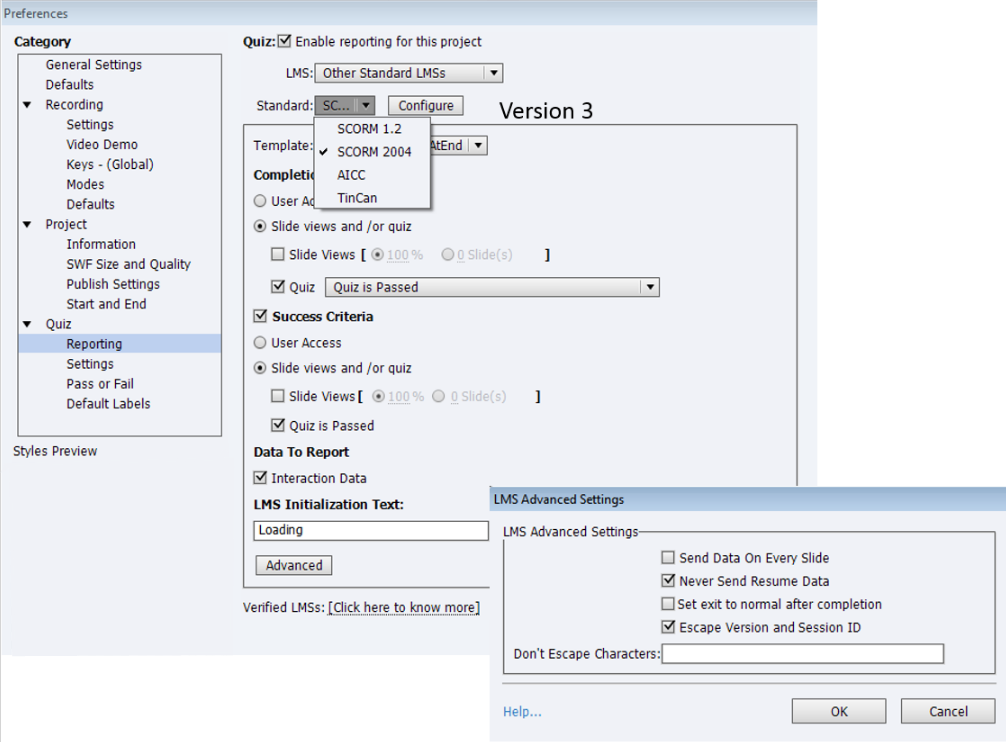
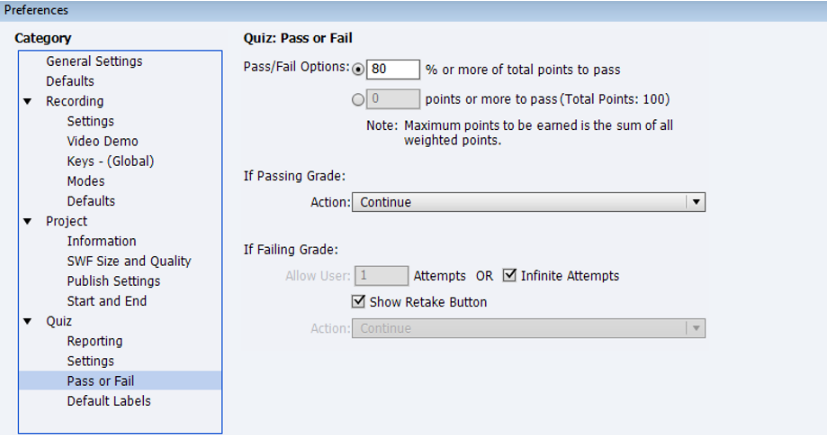
We recommend that Reporting and Tracking should be set to Pass/Fail and include your minimum score for completion
Additional Best Practices:
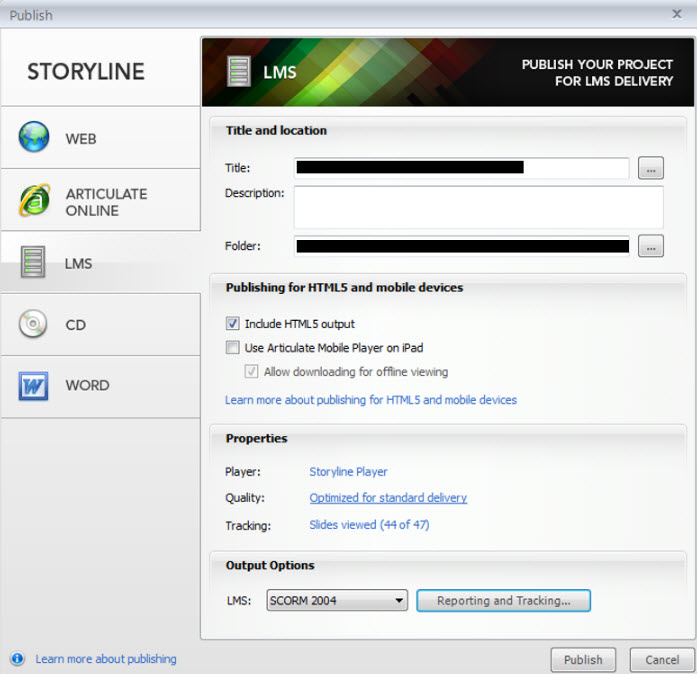
- When using Articulate do not select "Use Articulate Mobile on iPad" - tracking will not be sent correctly to the LMS
- SCORM Courses can be published as 1.2 or 2004 versions 1,2,3 or 4. SCORM Courses published as 1.2 compliant will send less tracking information to the LMS than all versions of 2004.
- Please Publish "for an LMS" and not to the Internet or alternative options offered.
Sample Articulate Publishing Guide
The following are screenshots from Articulate used when Publishing a SCORM with settings from Scenario 1: Completion based on number of sliders viewed.
This guide does not dictate how your SCO should be published.
Sample Captivate Publishing Guide
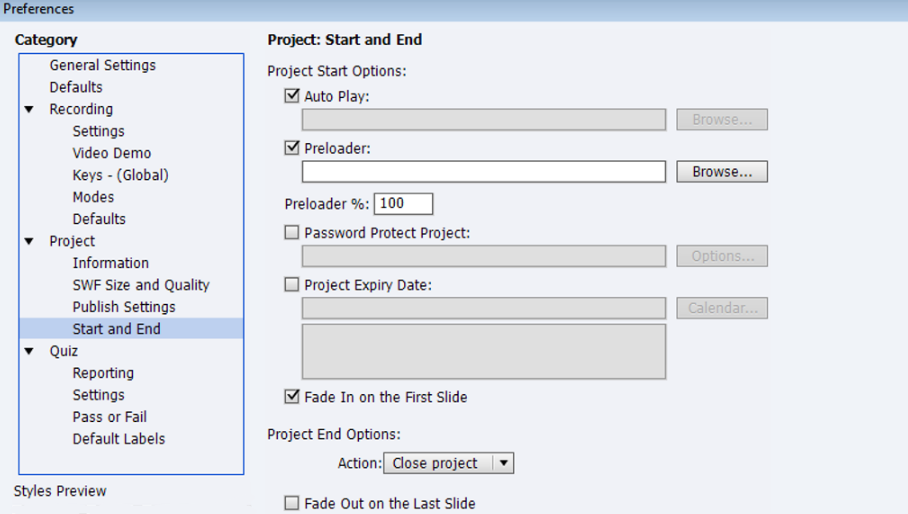
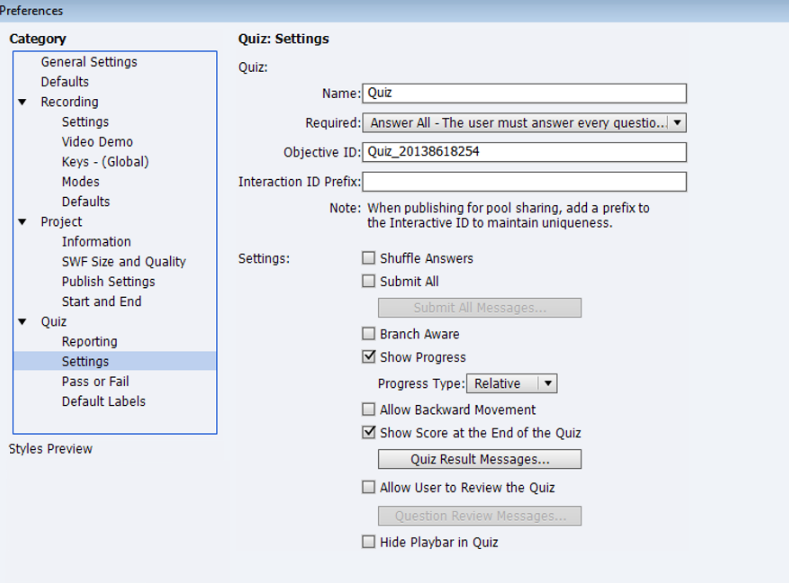
The following are screenshots from Captivate used when Publishing a SCORM with settings from Scenario 2: Completion based on achieving a minimum quiz score.
This guide does not dictate how your SCO should be published.
As a best practice we also recommend testing your SCO in TOPYX and the free SCORM Cloud at https://cloud.scorm.com/sc/guest/SignUpForm
Your SCO's should play in both TOPYX and the SCORM Cloud. If it doesn't play and track in TOPYX, test in the SCORM Cloud if it doesn't play there either, there is something wrong with the SCO.
Was this article helpful?
That’s Great!
Thank you for your feedback
Sorry! We couldn't be helpful
Thank you for your feedback
Feedback sent
We appreciate your effort and will try to fix the article