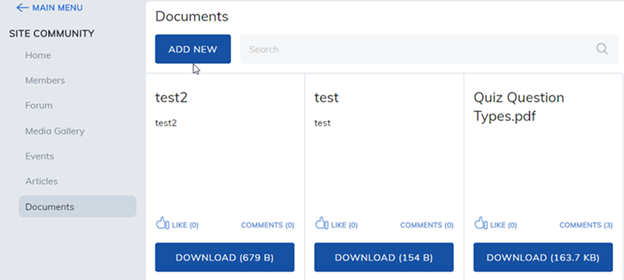
Our communities also has a document feature that allows learners to share files with members in that community.
To share a document:
- Select the Add New button.
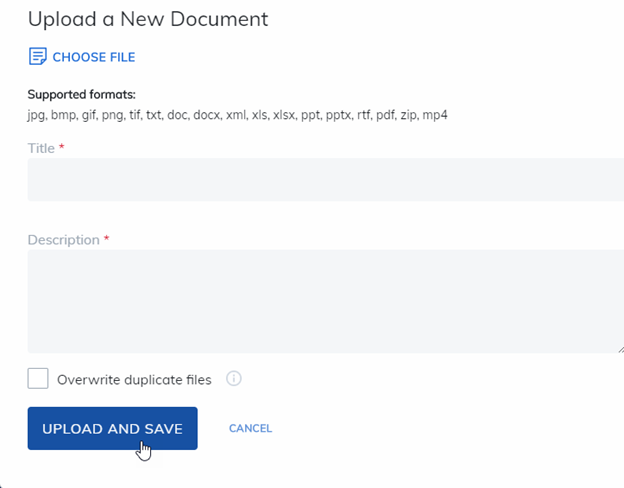
- Select Choose File
- Select the file from your computer
- Select the Upload and Save button.
Accepted file formats include: .jpg, .bmp, .gif, .png, .tif, .txt, .doc, .docx, .xml, .xls, .xlsx, .ppt, .pptx, .rtf, .pdf, and .zip.
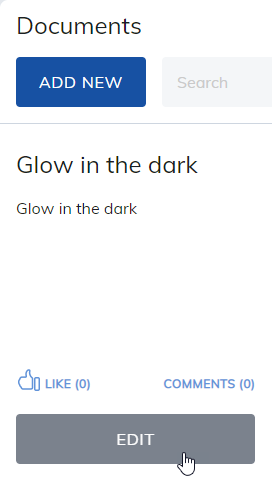
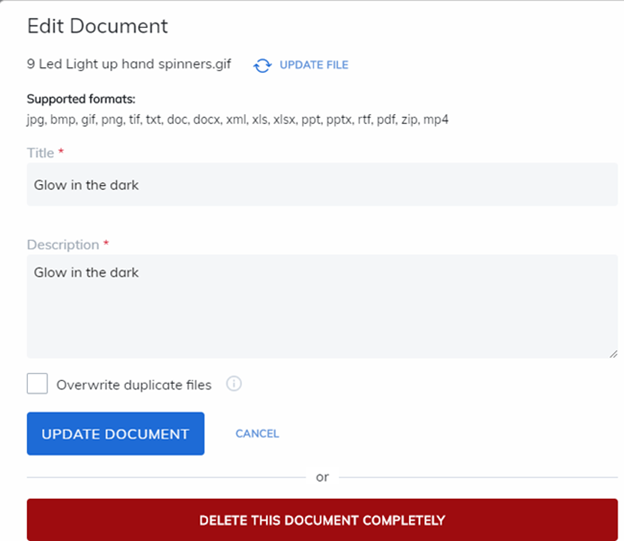
There are options to edit or delete your document.
Note: This is based on site permissions defined by your administrator. Some features may not be enabled or they may be renamed.
Was this article helpful?
That’s Great!
Thank you for your feedback
Sorry! We couldn't be helpful
Thank you for your feedback
Feedback sent
We appreciate your effort and will try to fix the article