The forum section of the community page is a place to circulate information by creating a new topic of discussion and/or replying to existing comments.
Create New Forum Topic
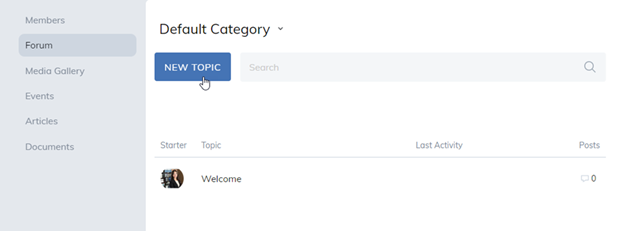
To create a new discussion, select the New Topic button.
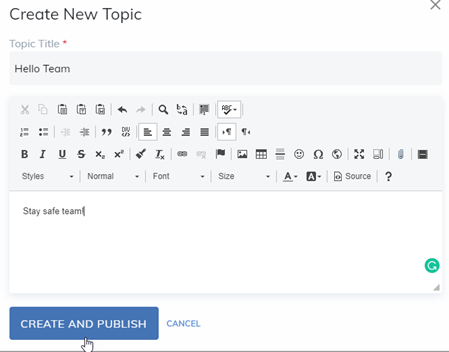
From the dropdown, choose a Forum Category, give the topic a name, type in your question, and then select Create and Publish.
Existing Topic
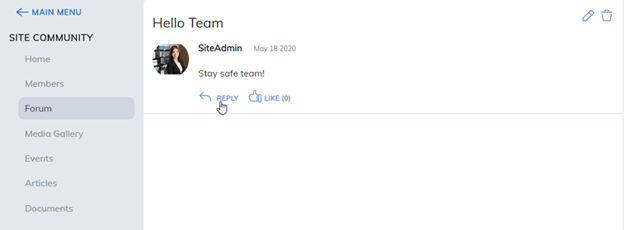
Respond to an existing topic by selecting the Reply button within a topic.
Note: This is based on site permissions defined by your administrator. Some features may not be enabled or they may be renamed.
Was this article helpful?
That’s Great!
Thank you for your feedback
Sorry! We couldn't be helpful
Thank you for your feedback
Feedback sent
We appreciate your effort and will try to fix the article